// 2026-08-05 · Learning & Education · by Bob Smith
Whichbook: Find a Novel by Mood Instead of Genre
Whichbook lets you pick your next book with sliders for happy/sad, funny/serious, safe/disturbing, plus filters for setting, character and plot shape.
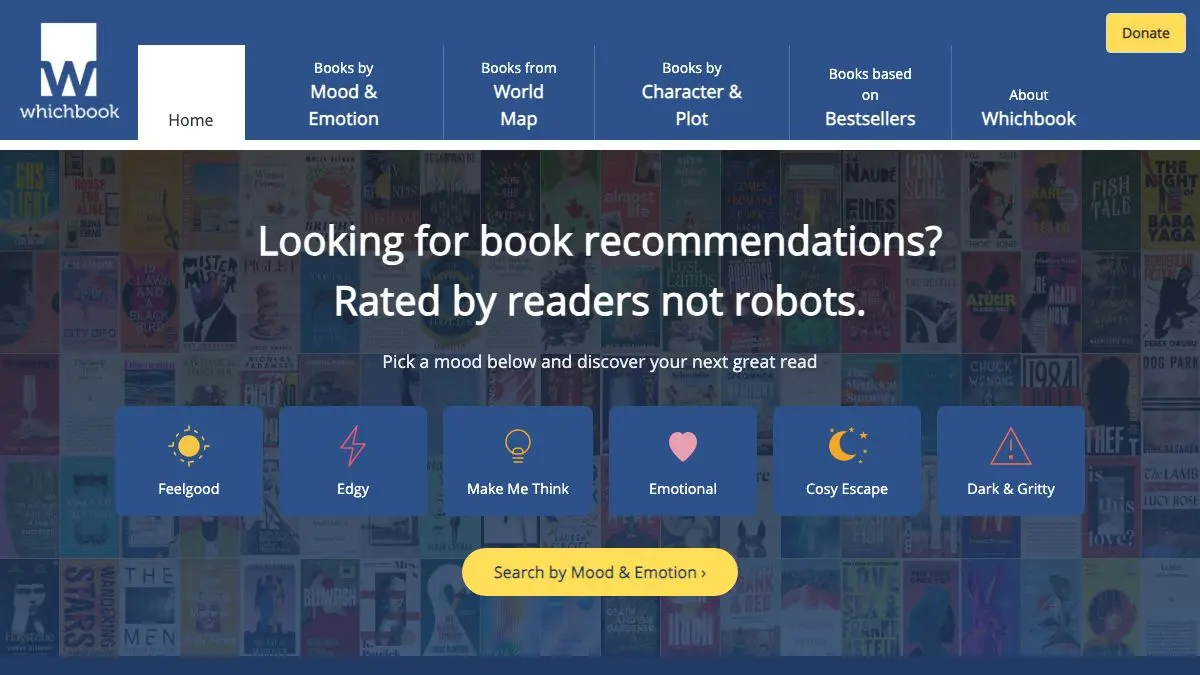
Whichbook asks a better question than every other book recommendation tool: not what you liked last, but what you want to feel next. You get a set of sliders. Happy to sad. Funny to serious. Safe to disturbing. Beautiful to disgusting. Push them where your mood actually is, and it hands you novels that match.
It is the only recommender that has ever correctly understood the request “something good but not exhausting.”
What is Whichbook?
Almost every book discovery tool is a variation on the same mechanic: you liked X, here is Y, because other people who liked X also liked Y. That works fine when you know what you want and it is useless when you don’t, which is most of the time.
Whichbook came out of the UK library sector as a reader development project, built on a completely different premise. Instead of matching purchases, it matches qualities. A panel of readers, largely librarians, reads each book and rates it along a set of paired scales: happy/sad, funny/serious, safe/disturbing, expected/unpredictable, larger than life/down to earth, beautiful/disgusting, gentle/violent, easy/demanding, no sex/sex, conventional/unusual, optimistic/bleak, and short/long.
You pick up to four of those scales, position each one, and it searches for books that sit near your coordinates. Four is a deliberate limit. Push it further and you would match nothing.
There are two other routes in. One lets you specify character and plot: the age, gender, sexuality or ethnicity of the protagonist, the setting, and the shape of the story. The other is a world map, where clicking a country returns fiction set there.
The catalog is human-scale rather than exhaustive, which is the trade. You will not find every book ever published. You will find books chosen by someone who read them, which turns out to be a very different experience from being handed the current bestseller by a machine.
What can you do with Whichbook?
- Set the mood sliders. Pick up to four emotional or stylistic qualities, position each one, and see what lands. The combinations are the whole point: “funny and bleak” produces a very specific and very good shelf.
- Choose by character. Filter for protagonists by age, gender, sexuality, ethnicity or nationality, useful when you want to read outside your own vantage point on purpose.
- Browse the world map. Click a country and get novels set there. Excellent trip preparation, and a good corrective to only reading fiction from three countries.
- Filter by plot shape. Specify the kind of story arc you want rather than the genre label attached to it.
- Save a shortlist. Build a list of the results that appeal and take it to a library or bookshop.
- Check availability. Results link out to library catalogs and booksellers, so a match does not dead-end at a title you cannot find.
Tips to get the most out of it
Use fewer sliders than you want to. Two well-chosen scales produce better results than four. Each additional constraint shrinks the pool fast, and the site will happily return almost nothing if you over-specify.
Push the sliders to the extremes. Leaving everything near the middle asks for an average book, and gets one. The tool is much more interesting when you commit: very funny, very unsettling, very short.
Try combinations that sound wrong. Optimistic and disturbing. Gentle and demanding. Beautiful and bleak. The contradictory pairs are where the genuinely surprising recommendations hide.
Use the map before a trip. Reading a novel set where you are going is a far better preparation than a guidebook, and the map view is the fastest way to find one.
Don’t expect a huge catalog. This is a curated, human-rated collection, not a database of everything in print. Judge it on the quality of what it suggests rather than the size of what it holds.
Note the titles, then check your library. The site points outward to catalogs and shops, but the real workflow is jotting down three titles and seeing which one your local library actually has on the shelf today.
If you like Whichbook, also try…
- Literature Map: enter an author and see the constellation of writers whose readers overlap.
- Open Library: a catalog entry for every book ever published, many borrowable on the spot.
- BookFinder: once you have a title, this finds the cheapest copy anywhere including secondhand.
- Littler Books: summaries for the nonfiction you want the argument from but not the 300 pages.
More ways to find your next read in Learning & Education.
Frequently asked questions
What is Whichbook?
Whichbook is a book recommendation site that works by feeling rather than genre. You move sliders for qualities like happy to sad, funny to serious, or gentle to violent, and it returns novels that match the combination. There are also separate paths for choosing by character, setting or plot shape.
Is Whichbook free?
Yes, it is free to use and does not require an account. It was created with library sector backing as a reader development tool rather than as a bookstore, so it is not built around selling you anything.
How does Whichbook decide what matches?
The books are read and rated by human contributors, mostly librarians and readers, who score each title on the emotional and stylistic scales the site uses. That is why the catalog is smaller than an algorithmic recommender but the matches feel more deliberate.
Can I use it to find books set in a specific place?
Yes. Alongside the mood sliders there is a world map view where you pick a country and get novels set there. It is one of the better ways to find fiction from a place you are about to visit or have become curious about.