// 2026-06-15 · Maps & Exploration · by Bob Smith
Random Street View: Teleport Anywhere on Earth
Random Street View drops you at a genuinely random spot on the planet via Google Street View. Hit next, look around, repeat. Free, instant, dangerously moreish.
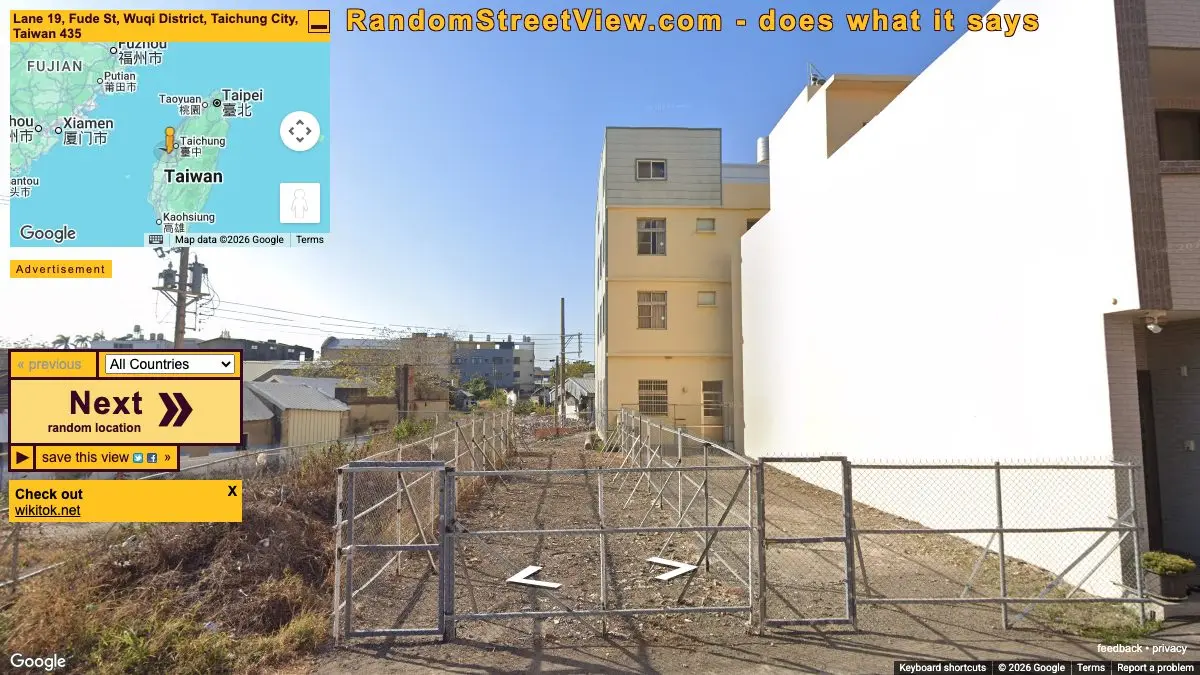
Random Street View picks a spot on Earth at random and drops you there in Google Street View. No destination, no search box, no plan. You land on a dirt road in Botswana, or a suburban cul-de-sac in Finland, or a highway shoulder somewhere in Brazil, and you can turn around and look at all of it. Then you press next and it happens again. The site’s own description is honest to the point of poetry: it does what it says.
What is Random Street View?
Street View is usually a tool. You type an address, you check whether the hotel looks grim, you close the tab. Random Street View strips out the purpose entirely and leaves only the looking.
What’s left is surprisingly powerful. Without a destination, you notice things: the color of the road markings, the shape of the mailboxes, what people plant in their front gardens, how the light falls at that latitude. You are looking at an ordinary place that nobody would ever choose to look at, which means you’re seeing something closer to the actual texture of the world than any travel photo ever shows you.
Most of what you get is beautifully mundane. Fields. Fences. A parked car. That’s the point.
What can you do on Random Street View?
- Press next, forever. One button, infinite planet. This is the core loop and it is genuinely hard to stop.
- Filter to one country. The dropdown has dozens of options: Japan, Iceland, Peru, Bhutan, South Africa, Slovakia, Taiwan and plenty more. Pin it to one and you get a strangely coherent tour of what that country’s ordinary roads look like.
- Look around properly. It’s full Street View, so you can spin 360 degrees, tilt up at the sky, and drive down the road to see what’s around the corner.
- Switch to map view. Zoom out and find out where on Earth you actually are. Half the fun is guessing first and checking after.
- Go back. There’s a previous button, which matters more than you’d think: you will press next too fast and immediately regret it.
- Save and share a view. Grab a link to anywhere that turns out to be spectacular.
Tips to get the most out of it
Guess the country before you check the map. This is the game. Road signs, license plates, power line design, which side of the road cars drive on, the species of tree. It turns aimless clicking into a genuine skill, and you get shockingly good at it within an hour.
Actually drive a bit before pressing next. The random drop point is rarely the interesting part. Move forward two or three clicks along the road and you’ll often find a village, a river crossing, or someone’s extremely specific garden.
Pick a country you know nothing about. Filtering to somewhere like Bhutan or Botswana and just moving along the road for ten minutes teaches you more about what a place feels like than a documentary will.
Use it as a slow scroll replacement. It occupies the same idle-thumb reflex as a social feed, but you come away having seen the actual world instead of a rage post.
Save the good ones immediately. You will press next reflexively, and there is no undo for “that impossibly beautiful mountain pass I saw for four seconds.”
If you like Random Street View, also try…
- Window Swap: look out of a stranger’s window somewhere in the world for ten quiet minutes.
- Drive & Listen: dashcam footage through a real city with the local radio playing.
- Atlas Obscura: for when random isn’t enough and you want the deliberately extraordinary places.
- The True Size Of: after enough teleporting you’ll want to know how big these countries actually are.
Wander further in Maps & Exploration and Entertainment & Fun.
Open Random Street View, press next, and see where the planet puts you. Set a timer, seriously.
Frequently asked questions
What is Random Street View?
Random Street View is a free website that teleports you to a random Google Street View location somewhere in the world. You land on a road you've never heard of, look around in 360 degrees, then hit next for another one. Its own tagline is simply that it does what it says.
Is Random Street View free?
Yes, it is free to use with no account or sign-up. You just open the page and it drops you somewhere on Earth immediately.
Can you choose a country on Random Street View?
Yes. There is a country selector with dozens of options, from Japan and Brazil to Iceland, Botswana and Bhutan, so you can restrict the randomness to one place. Leave it on all countries for maximum surprise.
Can you save or share a Random Street View location?
Yes. Each location can be saved and shared as a link, opened in a new window, or posted out, so when you land somewhere genuinely beautiful you don't lose it the moment you press next.