// 2026-07-21 · Learning & Education · by Bob Smith
YouGlish: Hear Any Word Pronounced by Real People
YouGlish plays real YouTube clips of any word or phrase being spoken, in 26 languages and seven English accents. The pronunciation tool that actually works.
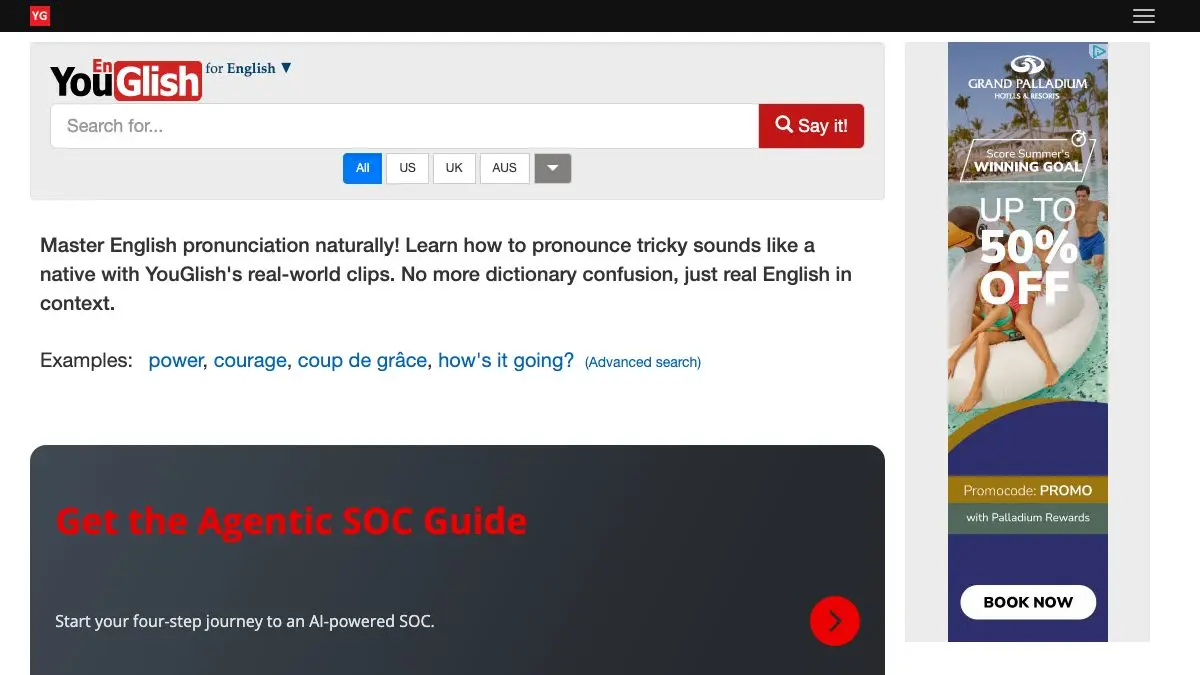
YouGlish is a free pronunciation tool that finds every moment in YouTube’s caption data where someone says the word you typed, then plays those moments back to back. Not a dictionary recording. Not a synthesized voice. Real people, in real sentences, in whichever accent you choose.
Type a word you have only ever read. Hear forty native speakers say it. Never mispronounce it again.
What is YouGlish?
YouGlish solves a very specific and very annoying problem: dictionaries teach you words in isolation, but nobody speaks in isolation. The word “comfortable” has four syllables in a dictionary and roughly two and a half in real conversation. “Probably” frequently loses a whole chunk of itself. You cannot learn that from a phonetic transcription.
So YouGlish indexes spoken content and gives you the sentences instead. Search a word and it jumps straight to the second where it is spoken, plays the surrounding context, and then offers you the next example, and the next, and the next. After ten clips your ear has done the work that no amount of reading would have done.
It covers 26 languages and variants, from Spanish and Japanese to Ukrainian, Thai and sign languages. For English, you can narrow it down to US, UK, Australian, Canadian, Irish, Scottish or New Zealand speakers, which is a small feature with a huge effect: hearing “schedule” or “aluminium” flip across regions makes the differences stick permanently.
What can you do on YouGlish?
- Search a single word and cycle through example after example until the sound is locked in.
- Search a whole phrase to learn where the stress falls in a real sentence, which matters more than individual vowels.
- Filter by accent to target the variety of English you actually want to sound like, rather than an average of all of them.
- Filter by speaker context using the advanced search options, narrowing results by things like word class or speaker attributes when you want a specific kind of example.
- Learn names and jargon. Technical terms, place names and surnames are exactly the words dictionaries skip and real speakers say constantly.
- Study 26 languages, not just English, which makes it useful long after you have stopped worrying about your own accent.
Tips to get the most out of it
- Search phrases, not just words. Individual words are the easy part. “I would have thought” or “as far as I know” teach you the connected speech and reductions that make you sound fluent.
- Pick one accent and stay there for a session. Mixing British and American examples for the same word muddies your ear. Commit to one, absorb it, then switch deliberately.
- Use it for words you have only read. Everyone has a list: words learned from books and never heard aloud. This is the tool that clears that list permanently.
- Say it out loud after every clip. Passive listening is half the exercise. Shadowing the speaker immediately, at their speed, is what changes your own production.
- Look up your own name and your city. It is the fastest way to understand how a non-native speaker will hear you say it, and it is quietly fascinating.
- Try the same word in two languages. Loanwords are a great trick here. Hearing how “restaurant” is pronounced in French, English and Japanese teaches you more about phonology than a lecture would.
If you like YouGlish, also try…
- PlayPhrase.me: the same concept applied to movie dialogue, which is better for tone and worse for accuracy, in the best way.
- RhymeZone: a rhyme and word-relationship engine that pairs beautifully with pronunciation practice.
- TypeLit.io: practice typing by transcribing classic literature, one sentence at a time.
- Khan Academy: free structured courses for when you want a curriculum rather than a tool.
More free learning tools live in our Learning & Education collection.
Frequently asked questions
What is YouGlish?
YouGlish is a free pronunciation tool that searches YouTube's captions for any word or phrase and plays you the exact moments where real speakers say it. Instead of one robotic dictionary recording, you get dozens of natural examples in context. It covers 26 languages and variants, including sign languages.
Is YouGlish free?
Yes. YouGlish is free to use with no account required, and it accepts optional donations to support the project. You can search unlimited words and cycle through as many example clips as you like.
Which accents does YouGlish support?
For English you can filter by US, UK, Australian, Canadian, Irish, Scottish and New Zealand accents, which lets you hear how the same word shifts across the English-speaking world. Beyond English it covers 26 languages and variants including Spanish, French, German, Japanese, Korean, Arabic, Hindi, Portuguese and more.
How is YouGlish different from a dictionary?
A dictionary gives you one idealized recording of a word in isolation. YouGlish gives you real people using the word in real sentences, complete with the stress, rhythm and reduction that natural speech produces. That context is what makes a word sound native rather than merely correct.