// 2026-08-17 · Privacy & Security · by Bob Smith
Wormhole: Send 10GB End-to-End Encrypted, With a Link That Deletes Itself
Wormhole encrypts files in your browser before they upload, hides the key in the part of the URL servers never see, hands you a share link in about two seconds, and wipes everything after 24 hours. No account, no cost.
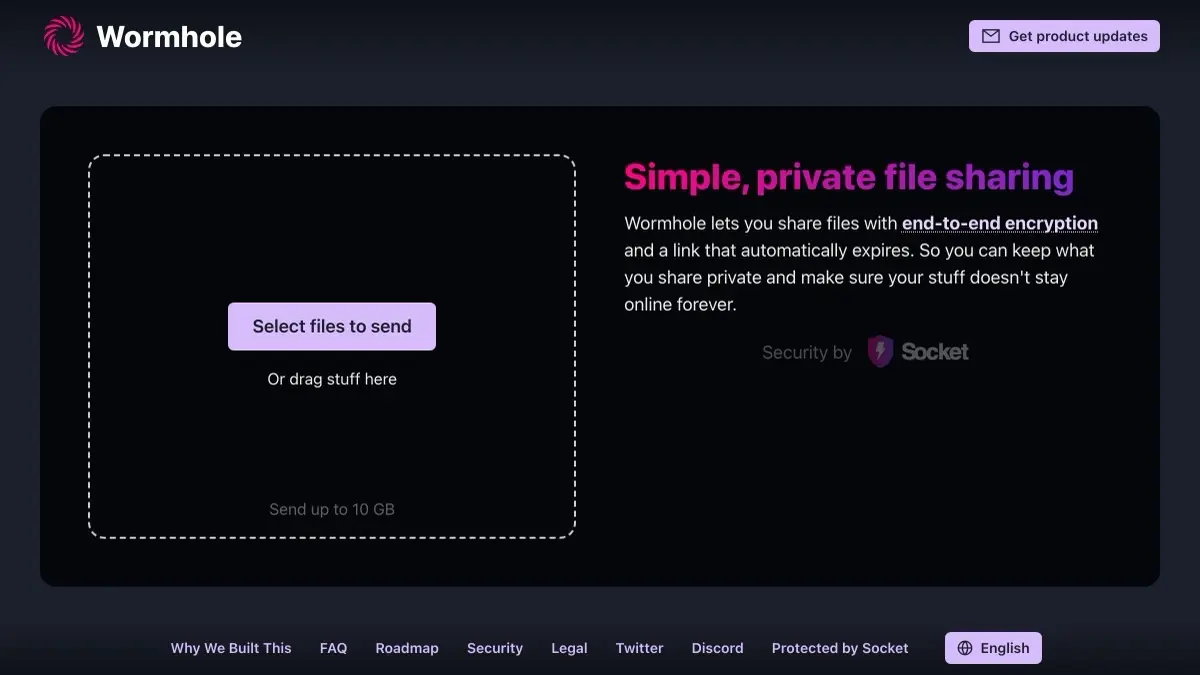
Wormhole exists because of a sentence its founders got tired of hearing: your files are encrypted. They usually are. The company also usually has the key.
Drop a file on Wormhole and the encryption happens on your computer, before the upload starts, with a key that is never transmitted to the service. What you get back is a link with a # in it, and everything after that # is the key. Browsers do not send URL fragments to servers. That single detail is the entire trick, and it means Wormhole genuinely cannot read what you sent — the page says so, and the architecture backs it up.
Then, 24 hours later, it deletes the whole thing.
What is Wormhole?
Wormhole is a file sending tool built by Feross Aboukhadijeh and John Hiesey. Feross is the author of WebTorrent and StandardJS, whose packages are downloaded hundreds of millions of times a month, and who taught web security at Stanford; John maintains stream-http and came out of distributed systems work at Protocol Labs. It launched in 2021 and picked up attention quickly for a technical reason: it uses WebTorrent under the hood, which lets a download begin before the upload has finished.
That is why the stated design goal was a share link in under two seconds with the fewest possible clicks. You are not waiting for a 3 GB file to reach a server before you can send the link — the link exists almost immediately, and the recipient’s browser streams pieces as they arrive.
The mechanics are documented rather than gestured at. Your browser generates a main secret key and a salt, derives per-file keys, a metadata key and a reader authorisation token via HKDF-SHA256, and encrypts with 128-bit AES-GCM using RFC 8188 streaming encryption. Wormhole’s servers see a room ID, encrypted files, encrypted torrent metadata, salts and info hashes. WebTorrent independently hashes each downloaded piece against the expected hash, so corrupted or tampered data is caught before anything is decrypted.
Files up to 5 GB sit on the servers for 24 hours, then are permanently deleted. Larger transfers, up to the advertised 10 GB, go directly browser to browser.
What can you do with Wormhole?
- Send big files without an account. Drag, wait a moment, copy link. No email address, no verification, no app.
- Send things you would not put in Dropbox. Contracts, ID scans, medical documents, a database dump — anything where “the provider can technically read this” is the wrong answer.
- Hand someone a link before the upload finishes. Instant streaming means the recipient can start downloading while your upload is still in flight.
- Let the deletion be automatic. Files vanish after 24 hours whether or not you remember, which is the opposite of every cloud folder full of forgotten client files from 2019.
- Move files between your own devices. Phone to laptop, work machine to home machine, without signing into anything on either end.
- Use it as a PWA. It installs as a progressive web app and works on iOS and Android browsers, so a phone can be either end of the transfer.
- Verify the claims yourself. The security design page spells out the key derivation and what the servers hold, and the streaming encryption implementation is published on GitHub.
Tips to get the most out of it
- Treat the link as the file. The key lives in the fragment, so anyone who obtains the URL can download and decrypt. Send it through a channel you would trust with the contents.
- Send the link over a different channel than the context. Password-manager style discipline: the file in a chat, the note about what it is somewhere else, and never both in an email thread that gets forwarded.
- Stay on the page for transfers above 5 GB. Those are peer-to-peer. Your tab is the source; closing it ends the transfer.
- Remember the 24-hour clock starts at upload. Tell the recipient when you send it, especially across time zones, or you will be re-uploading tomorrow morning.
- Compress folders first. A single archive is one predictable transfer, and it also hides individual file names from anyone watching your recipient’s screen.
- Do not use it as a backup. It is deliberately ephemeral. Anything you want to keep needs to be somewhere that is not designed to erase itself by tomorrow.
- For same-room transfers, skip the internet entirely. If both devices are on the same network, a local tool is faster and involves no third party at all.
If you like Wormhole, also try…
- PairDrop: the same instinct for devices in the same room — browser to browser over the local network, no upload, no account, no cloud.
- CryptPad: end-to-end encrypted documents, spreadsheets and whiteboards, with the same key-in-the-fragment design applied to collaboration.
- Privacy Guides: the vetted, community-maintained answer to “what should I actually be using instead”, once one tool has convinced you.
- BrowserLeaks: a reminder of how much your browser gives away for free, one leak vector at a time.
Browse more things worth bookmarking in our Privacy & Security collection.
Frequently asked questions
What is Wormhole?
Wormhole is a browser-based file sending tool with end-to-end encryption and expiring links. You drag files onto the page, it encrypts them locally with 128-bit AES-GCM before anything leaves your machine, and it gives you a share link. Files up to 5 GB are stored on Wormhole's servers and permanently deleted after 24 hours; above that, up to a 10 GB transfer, it switches to peer-to-peer delivery straight from your browser to the recipient's. It was built by Feross Aboukhadijeh, who created WebTorrent and taught web security at Stanford, together with John Hiesey, previously of Protocol Labs.
Is Wormhole free, and do I need an account?
It is free and there is no signup — the upload box is the first thing on the homepage and it works immediately. The FAQ says a Pro plan for larger file limits and an enterprise version are planned, so the free tier may eventually sit alongside paid ones, but nothing is gated today. Security for the service is provided by Socket, the software supply-chain security company Feross also founded.
How does the encryption actually work?
A secret key is generated on your device using the Web Crypto API and never sent to Wormhole. From it, HKDF-SHA256 derives a separate key per file, a key for the metadata, and an authorisation token for downloaders. Files are encrypted with 128-bit AES-GCM, using the RFC 8188 encrypted content-encoding scheme so the stream is authenticated as well as hidden — a tampered file fails rather than decrypting into garbage. The key travels only in the URL fragment, the part after the # that browsers never send to a server, so the servers hold ciphertext, encrypted metadata, salts and info hashes, and nothing that would unlock any of it.
What can go wrong with it?
Three things worth knowing. First, whoever holds the link holds the file — the key is in the link, so a link pasted into a group chat or a logged corporate proxy is a file handed over. Second, transfers above 5 GB are peer-to-peer, which means both browser tabs must stay open until the recipient finishes downloading; close yours and the transfer dies. Third, 24 hours is a hard deadline, not a suggestion, so it is a courier and not storage. The client and server code are not fully open source yet — the streaming encryption library is on GitHub and the rest may follow — so the security design is documented and reviewable in principle but not independently auditable end to end.