// 2026-08-09 · Privacy & Security · by Bob Smith
CryptPad: End-to-End Encrypted Docs, Sheets and Kanban, No Account Needed
CryptPad is an open-source collaboration suite where the server never sees your content. Documents, spreadsheets, slides, kanban and whiteboards, encrypted in your browser.
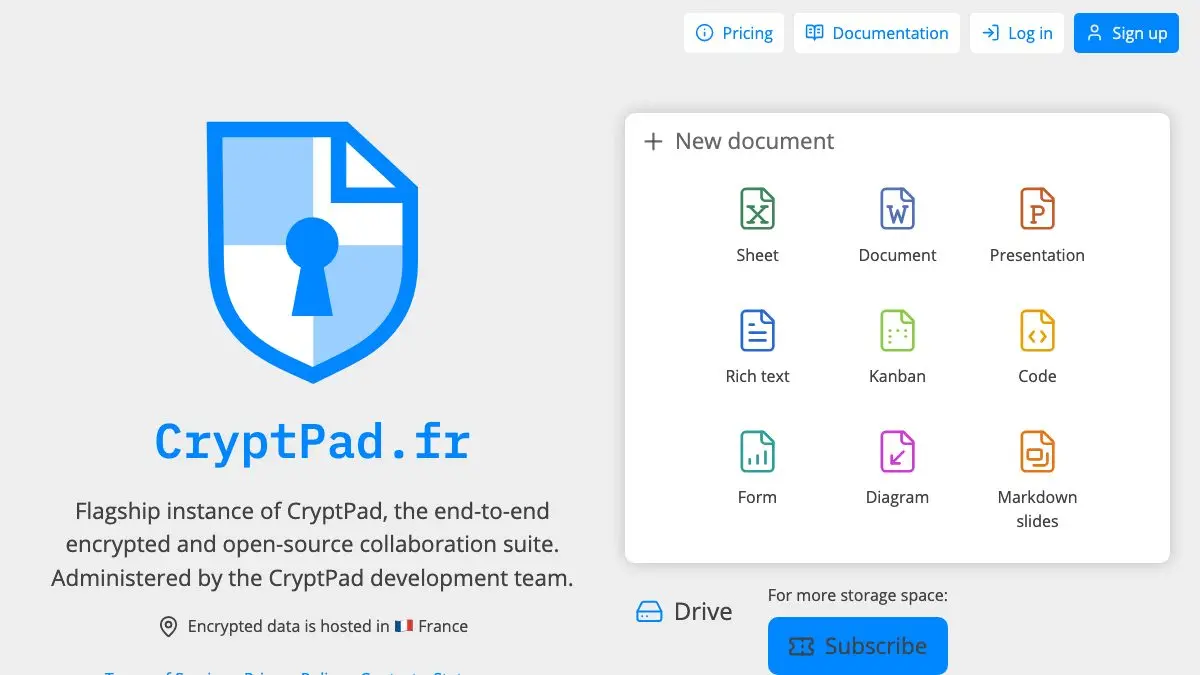
CryptPad is what you reach for when you want a shared document and you do not want a third party quietly reading it. It gives you rich text, spreadsheets, slides, code, kanban, whiteboards, forms and diagrams, all collaborative in real time, and all encrypted in your browser before anything leaves your machine.
The part that surprises people is how little it asks for. No account, no email, no cookie wall. You open the site, click Document, and you are typing in a page that the server hosting it cannot read.
What is CryptPad?
CryptPad calls itself a collaboration suite, encrypted and open source, and the order of those words is about right. It is developed by XWiki SAS in France, released under a free software licence, and the instance at cryptpad.fr is the flagship the developers run themselves, with the encrypted data hosted in France.
The trick behind it is where the key lives. Your document is encrypted client-side, and the decryption key is stored in the fragment of the URL, the bit after the #. Browsers do not send that fragment to the server, so the server receives ciphertext it has no way to open. It can store your document and relay edits between collaborators, and that is the extent of what it knows.
That design has a sharp edge worth knowing up front: the link is the key. Anyone you send it to can open the document, and if you lose the link there is no “forgot password” that can bring the content back. CryptPad is honest about this rather than pretending encryption is free of consequences.
What can you do on CryptPad?
- Write and collaborate in real time across rich text documents, spreadsheets, presentations, markdown slides, code and plain markdown, with several people editing at once.
- Run a project without a project tool. The kanban board, whiteboard and diagram editor cover most of what a small team actually plans with.
- Collect answers privately using Form and Poll, which is unusual in a category where nearly every alternative reads the responses it collects.
- Keep everything in CryptDrive, the built-in file manager, with folders, shared folders, templates and tags once you register.
- Import and export in the formats you already use, so a CryptPad document is not a one-way trip.
- Scroll back through history on any document and restore an earlier version, and chat with collaborators in the sidebar while you work.
- Work as a team with contacts, shared drives and fine-grained access control, deciding who can view and who can edit.
- Self-host the whole thing. The source is public, so if you would rather not trust anyone else’s server, run your own.
Tips to get the most out of it
- Try it as a guest first, but know the clock is running. Guest documents are deleted after 90 days of inactivity, and your document list only exists in that one browser. Fine for a scratch pad, risky for anything you want next year.
- Register anyway, because it costs nothing and asks for nothing. A free account needs only a username and password, no email address, and gives you 1 GB of storage, uploads to 25 MB, and documents that survive inactivity.
- Treat share links like passwords. Send them over a channel you already trust. Pasting one into a public Slack channel or an unencrypted email undoes the encryption entirely.
- Use the separate view and edit links. CryptPad lets you hand out read-only access without giving away the ability to change anything, which is the right default for most people you share with.
- Set an expiry or a password on documents that matter. Registered users can add both, which turns a “whoever has the link, forever” document into something with a boundary.
- Save the link somewhere durable the moment you create something important. There is no account recovery for a lost key. A bookmark takes two seconds and is the entire backup strategy.
If you like CryptPad, also try…
- Privacy Guides: the wider map of privacy-respecting tools, if CryptPad is the start of a longer clean-up.
- PairDrop: the same encrypt-locally instinct applied to sending a file to the laptop across the room.
- Excalidraw: a faster, sketchier whiteboard when you want a diagram and nothing else.
- When2meet: for the one collaborative job CryptPad’s poll does not do as bluntly, pinning down a time.
Browse more tools that respect you in our Privacy & Security collection.
Frequently asked questions
What is CryptPad?
CryptPad is a free, open-source alternative to Google Docs and Office Online in which every document is encrypted in your browser before it reaches the server. It includes rich text documents, spreadsheets, presentations, code and markdown editors, kanban boards, whiteboards, forms, polls and diagrams, plus a file drive to keep them in. The flagship instance at cryptpad.fr is run by XWiki SAS, the French company that develops the software, and the code is available for anyone to audit or self-host.
Can CryptPad's servers read my documents?
No. Encryption and decryption happen in your browser, and the decryption key lives in the part of the share link after the # symbol, which browsers never transmit to the server. The server stores and syncs encrypted blobs it cannot interpret, which is what people mean when they call CryptPad zero-knowledge. The practical trade-off is that anyone holding the link holds the key, so treat share links as the secret they are, and note that if you lose a link there is no password reset that can recover the content.
Do I need an account to use CryptPad?
No. As a guest you get every application, full editing, import and export, version history and chat, with no personal information required at all. The limits are that guest documents are deleted after 90 days of inactivity, you cannot upload files, and your document list is only stored in that browser. Registering is also free and still asks for nothing but a username and password, no email, and it adds 1 GB of storage, file uploads up to 25 MB, folders, tags, teams and access from any device.
Is CryptPad free, and how does it make money?
Guest and registered accounts are both 0€. Paid plans on cryptpad.fr run from 5€ to 15€ per month and add 5 GB to 50 GB of storage, a 150 MB upload limit and priority support; those are the only plans that ask for an email address. The project is open source and developed by XWiki SAS, so you can also run your own instance on your own server and pay nothing to anyone.