// 2026-08-05 · Privacy & Security · by Bob Smith
Temp Mail: A Throwaway Inbox for Every Signup You Regret
Temp Mail gives you a disposable email address and a live inbox in one click, so you can confirm a download without joining a mailing list for the rest of your life.
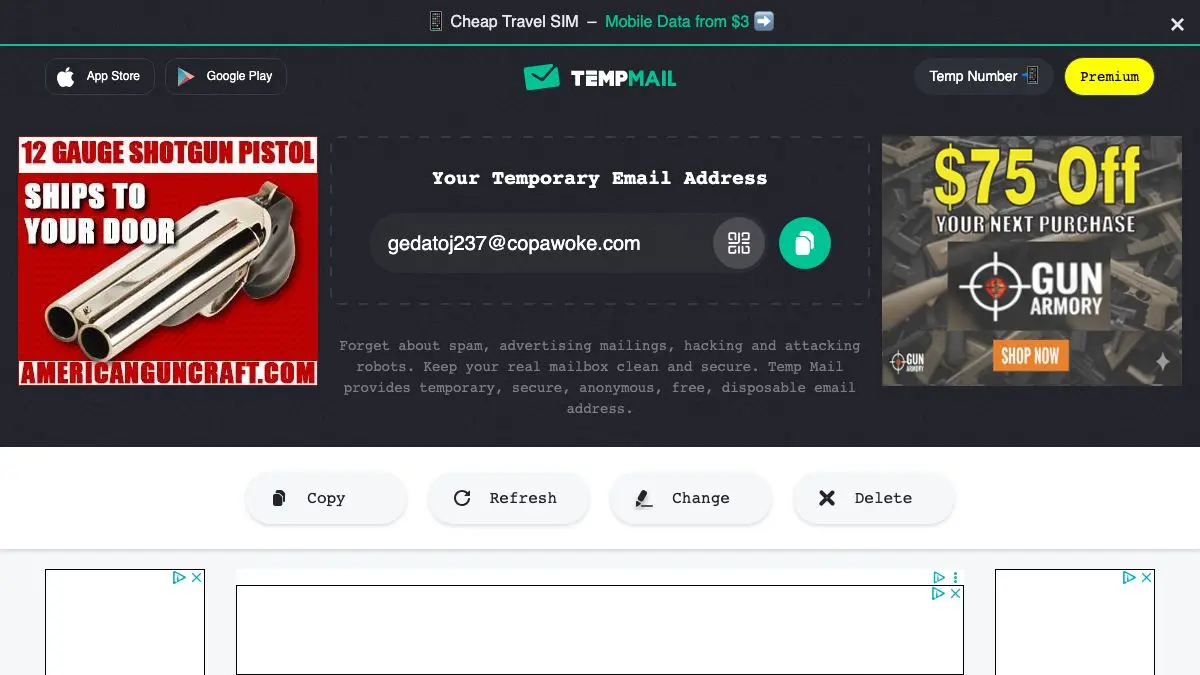
Temp Mail hands you a functioning email address the instant the page loads, along with an inbox that fills in real time. Use it to get past the gate, read the confirmation, and then never think about it again. The address is disposable by design, which is precisely the relationship most websites deserve.
What is Temp Mail?
The economics of the web have settled on a bargain nobody agreed to: you may read this, download that, or try this tool, in exchange for a permanent line of communication into your inbox. One PDF becomes a welcome sequence, then a newsletter, then a re-engagement campaign eighteen months later, then a mailing list sold to somebody else.
Temp Mail declines the bargain without arguing about it. It gives you a real mailbox on a domain it operates, shows you incoming mail as it arrives, and lets you throw the whole thing away.
The mechanics are as simple as they sound. Open the page and an address is already generated and displayed with a copy button. Paste it into whatever form is demanding one. The confirmation arrives in the inbox on the same page, usually within seconds, and you can open it, read verification codes, and click activation links normally.
What separates it from the strictest throwaway services is a bit more room to breathe. The address persists as long as you want it during your session rather than racing a ten-minute countdown, you can generate a new one on demand, and there is usually a choice of domains, which matters because some sites blocklist the more famous disposable ones.
There are also apps and browser extensions, which sounds redundant for a service whose entire selling point is not installing anything. In practice it is useful on a phone, where switching to a browser tab mid-signup and copying an address between apps is more friction than it sounds.
What can you do with Temp Mail?
- Get an address instantly. No form, no account, no password. The address exists before you have finished reading the page.
- Copy it in one click. Essential, because the local part is random and hand-typing it is how confirmations get lost forever.
- Watch the inbox update live. Messages appear without a refresh, so you can sit on the tab and wait for the code.
- Change the address on demand. Generate a new one whenever you want a clean slate, and pick a different domain if a site rejects the first.
- Read and open messages properly. HTML mail renders well enough to follow activation links and read one-time passcodes.
- Delete everything when you are done. Or just close the tab, which achieves the same thing with less effort.
Tips to get the most out of it
Copy the address rather than retyping it. This is the single most common failure. A random string with one wrong character means the confirmation goes to a mailbox nobody is watching, and you have no way to find out.
Keep the tab open until the confirmation actually lands. Some services queue verification emails for several minutes. Close the tab early and you may lose access to the address before the mail arrives.
Have a second domain ready. Sites increasingly blocklist known disposable providers. If your signup is rejected outright, switching to another available domain often gets straight through.
Never attach it to anything with a recovery flow. No password reset will ever reach you. Use it for the download, the trial, the coupon, and the forum you will visit once, and use a real address for anything with money or identity behind it.
Assume anyone could read it. There is no authentication protecting a temporary mailbox. Nothing sensitive should pass through it, and that includes documents attached to confirmation emails.
Graduate to aliases for the things you keep. If you find yourself wanting the mail long term, plus-addressing or a proper alias service gives you the same isolation with the ability to actually receive mail later.
If you like Temp Mail, also try…
- 10 Minute Mail: the same concept with a stricter countdown and even less interface.
- JustDeleteMe: for cleaning up the accounts you made before you knew better.
- Have I Been Pwned: check whether your real address is already in circulation.
- Webkay: a demonstration of everything a site learns about you without asking for an email at all.
More self-defense in Privacy & Security, and more quiet problem-solvers in Tools & Utilities.
Frequently asked questions
What is Temp Mail?
Temp Mail is a disposable email service that generates a temporary address as soon as you open the page and shows incoming messages in a live inbox below it. Messages are deleted after a period of time and the address can be discarded whenever you like. It is designed for one-off signups, downloads and verification codes rather than ongoing correspondence.
Is Temp Mail free?
The basic service is free with no account, supported by ads. There are paid tiers that add things like a longer-lived address, more domain choices and an ad-free interface, but the free version handles the ordinary use case of receiving a confirmation email.
Can I reply to messages from a temporary address?
The free service is generally receive-only, which is what most signups need. Some paid options add sending. If you need a genuine two-way conversation, a temporary inbox is the wrong tool and an alias on your own domain is a better fit.
Is Temp Mail secure?
Treat it as public. There is no password on the mailbox, and the whole model depends on addresses being ephemeral rather than protected. Use it for throwaway signups and never for banking, work, medical accounts, or anything with password recovery attached to it.