// 2026-08-05 · Privacy & Security · by Bob Smith
PimEyes: The Face Search Engine You Should Probably Run on Yourself
PimEyes searches the web for photos of a face. It is unsettling, genuinely useful for auditing your own exposure, and it offers an opt-out you may want to use.
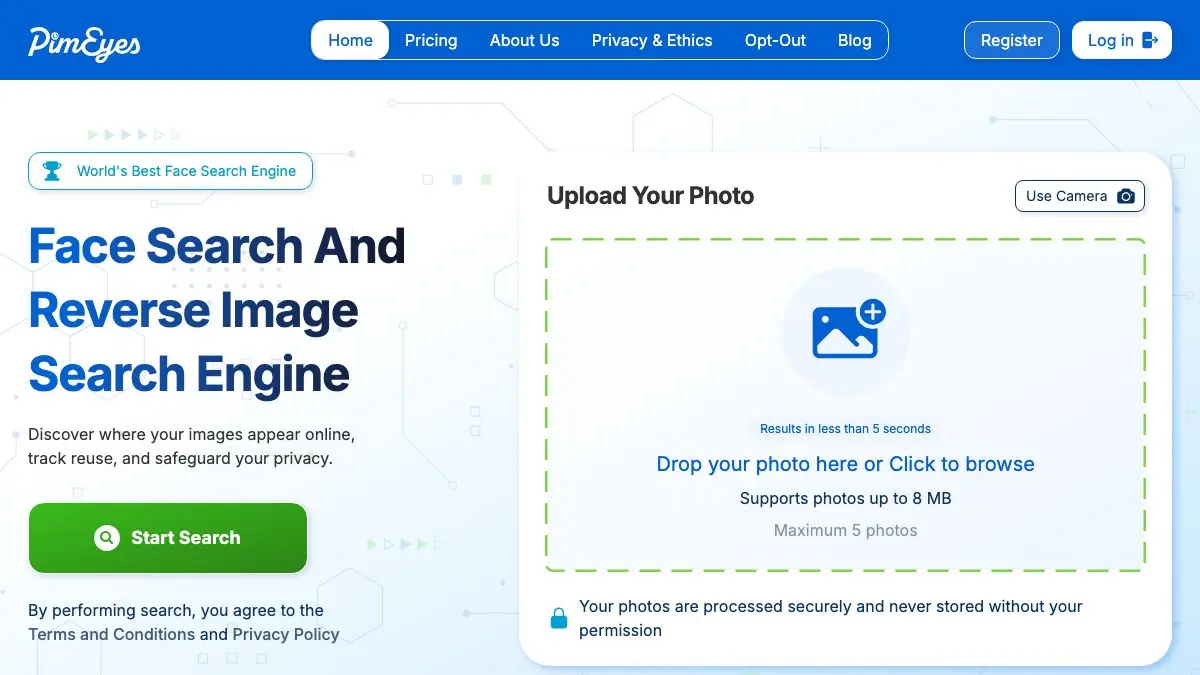
PimEyes is a search engine for faces. You give it a photograph, and it comes back with other places on the public web where that face appears, in different photos, from different years, on sites you have never heard of. The first time you run it on yourself, the results are usually a mixture of boring and deeply unsettling, and the ratio is the point.
What is PimEyes?
Reverse image search has existed for a long time, but the traditional version looks for the same image: the same file, cropped, resized, or recompressed. PimEyes does something categorically different. It builds a mathematical representation of the geometry of a face and looks for other faces that match it, regardless of pose, lighting, age, or the fact that the two photos have nothing else in common.
That capability used to sit inside government systems and research labs. PimEyes made it a web form.
The company’s stated purpose is self-search: finding out where your own image has ended up, spotting stolen photos, and catching impersonation accounts. The interface reinforces this, with a checkbox asserting that the face you are uploading is your own, and a paid takedown-assistance product built around removing what you find.
The obvious problem is that a face uploaded from a screenshot looks identical to a face uploaded from a selfie, and the tool cannot tell the difference. This has made PimEyes a recurring subject of journalism and regulatory attention, and it is a fair criticism of the whole category rather than of this one site.
Which leaves it in a genuinely awkward position: it is the clearest available demonstration of a capability that already exists elsewhere, mostly out of public view. Running it on yourself is the fastest way to understand what any motivated stranger with the same tooling can already learn about you, and that knowledge is worth having even when the answer is unpleasant.
The results themselves are usually a mix. Old conference photos. A group shot from an event website. A stock-looking image you do not remember posing for. Occasionally something you assumed was long gone.
What can you do with PimEyes?
- Search your own face. Upload a clear photo and see how many public pages carry your likeness, which is the intended and most defensible use.
- Find stolen or reused photos. Photographers, models, and anyone whose portrait has been lifted for a fake profile can locate where the image is being used.
- Spot impersonation accounts. Catfishing profiles built from someone else’s photos surface exactly this way.
- Check exposure before a job search. Knowing what a recruiter would find is more useful than hoping there is nothing.
- Set up alerts. Paid plans include monitoring that notifies you when a new match appears, rather than requiring you to re-search manually.
- Request an opt-out. Submit a request to have your face excluded from PimEyes results, which is a limited but real lever.
Tips to get the most out of it
Use a clear, front-facing photo. Face matching degrades fast with heavy angles, sunglasses, or low resolution. A well-lit straight-on shot returns dramatically better results than a candid taken from the side.
Run several different photos. Different ages, hairstyles, and lighting conditions surface different matches. One search is a sample, not an audit.
Do the opt-out and understand its limits. Excluding yourself from PimEyes removes you from PimEyes, not from the internet. The photos stay online, other tools still exist, and the underlying sites are unaffected. It is still worth doing.
Expect false positives. Facial similarity is probabilistic. Some results will be strangers who happen to look like you, which is a useful reminder of what happens when this technology is used to make decisions about people.
Do not point it at other people. Beyond the legal risk, using a face search engine to identify a stranger is the exact behavior that makes the technology dangerous. Self-audit is the use case that holds up.
Act on what you find rather than just looking. If a photo is somewhere you did not consent to, the useful next step is a removal request to the host site or platform, not another search.
If you like PimEyes, also try…
- Have I Been Pwned: the same self-audit instinct, applied to breached credentials.
- JustDeleteMe: a directory of how hard each service makes it to actually leave.
- Cover Your Tracks: see how identifiable your browser is before you even upload anything.
- Privacy Guides: the calm, well-researched reference for what to do about all of this.
More uncomfortable clarity in Privacy & Security, and more tools that look up things for you in Data & Research.
Frequently asked questions
What is PimEyes?
PimEyes is a reverse image search engine built specifically for faces. You upload a photo and it returns other pages on the public web where a similar face appears. It works on facial similarity rather than file matching, so it can find a completely different photo of the same person taken years apart.
Is PimEyes free?
There is a free search that shows you thumbnail results, but seeing the source URLs and using the monitoring features requires a paid subscription. You can run a search and get a sense of how many matches exist without paying, which is enough for a basic self-audit.
Can I remove myself from PimEyes?
PimEyes offers an opt-out process that lets you request the exclusion of your face from its search results, and it also sells a takedown service aimed at getting images removed from the sites hosting them. The opt-out generally requires submitting a photo and an identity document. It affects PimEyes only, not the underlying websites or other search engines.
Is it legal to search for someone else's face?
It depends heavily on where you are and what you do with the results, and PimEyes states its service is intended for searching your own face. Several data protection authorities have scrutinized face search tools, and using one to identify or track another person can run into privacy law, harassment law, or both. Treat it as a tool for auditing your own exposure.