// 2026-05-07 · Data & Research · by Bob Smith
Internet Archive: The Wayback Machine and So Much More
The Internet Archive stores hundreds of billions of archived web pages, plus free books, films and software. The Wayback Machine is only the front door.
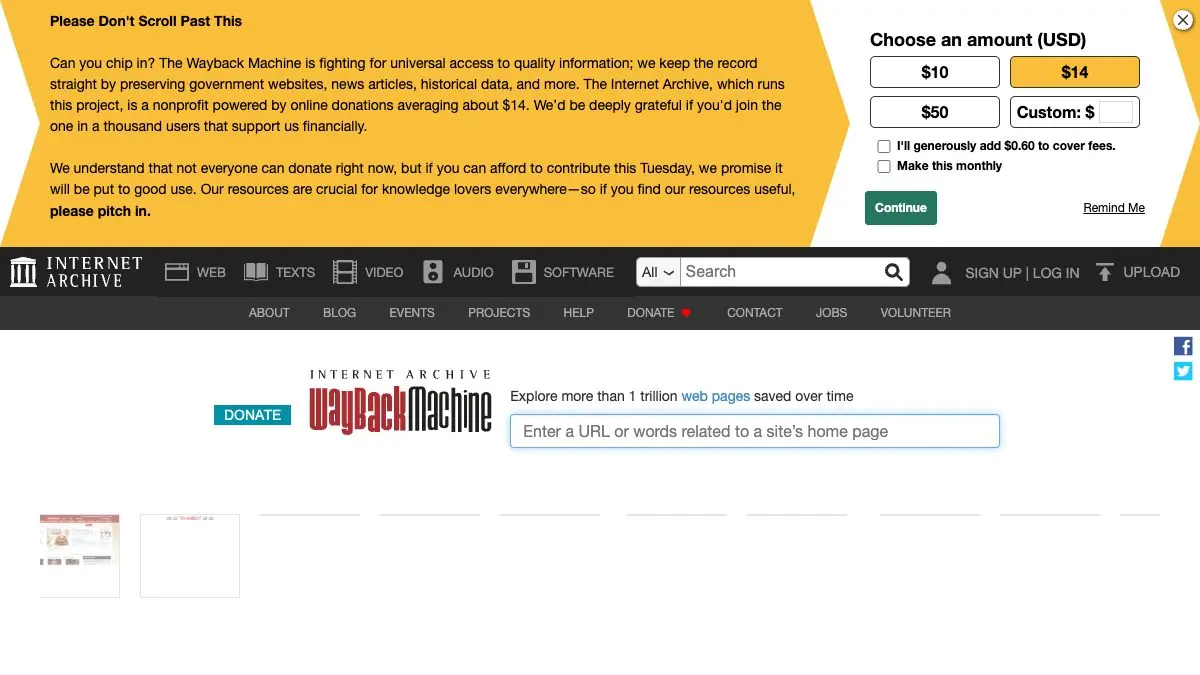
The Internet Archive is a free, nonprofit library of the internet’s memory. Its most famous tool, the Wayback Machine, lets you paste in any web address and see what that page looked like in 2004, or 2011, or last Tuesday. Behind that front door sits an enormous collection of books, films, radio broadcasts, TV news, concert recordings and playable vintage software, all free.
It is arguably the most important website on the internet, and it looks like it was designed in 2003. Both things are true.
What is the Internet Archive?
The Archive has been crawling and saving the web since the mid-1990s, on the reasonable theory that the internet deletes itself constantly. Links rot. Companies fold. Sites get redesigned into unrecognizability. Without somebody hoarding copies, the last thirty years of human culture would largely evaporate.
So they hoard. Hundreds of billions of web captures, plus millions of scanned texts, plus a film and audio collection that includes public-domain movies, old commercials, and a colossal archive of live concert recordings taped by fans.
It is a genuine nonprofit library, funded by donations, and it behaves like one: no ads, no tracking-fueled feed, no upsell. Just a search box and an absurd amount of stuff behind it.
What can you do on the Internet Archive?
Far more than most people realize:
- Look up any site’s past. Paste a URL into the Wayback Machine and get a calendar of captures. Watch a company’s homepage evolve across two decades in ten clicks.
- Recover a dead page. That article you bookmarked which now 404s? There’s a good chance a snapshot exists.
- Save a page permanently. “Save Page Now” captures a live URL on the spot, giving you a citable, timestamped copy.
- Read scanned books. Millions of texts, many fully readable in the browser, many more borrowable through the Archive’s lending library.
- Play old software in the browser. A huge collection of MS-DOS games and classic applications runs in an emulator, right on the page, no install.
- Stream live music. Thousands upon thousands of fan-recorded concerts, legally shared by taper-friendly bands.
- Search television news. Decades of broadcast news, searchable by closed-caption text.
- Watch public-domain film. Old newsreels, educational shorts, ephemeral films, and some genuinely great movies that fell out of copyright.
Tips to get the most out of it
Learn the URL shortcut. Put web.archive.org/web/*/ in front of any address to jump straight to that page’s capture history, no homepage detour required. It’s the fastest research move you’ll learn this year.
Use the timeline bar, not just the calendar. The bar across the top shows capture density by year. Tall bars mean the site was popular and heavily crawled, those are the years with the richest snapshots.
Save before you cite. If you’re referencing anything online in writing that has to last, hit Save Page Now first and link the snapshot. Pages you rely on will disappear; snapshots won’t.
Try the full-text search on books. The Archive’s text search goes inside scanned volumes, not just titles. For obscure historical detail it beats a general web search regularly.
Dig into the software library on a rainy afternoon. The in-browser emulator collection is a full evening of nostalgia and doesn’t ask you to install a single thing.
Consider donating. This is not a sales pitch from a company, it’s a nonprofit keeping the internet’s backup running on comparatively tiny money. If you use it twice a year, it’s worth a few dollars.
If you like the Internet Archive, also try…
- Open Library: the Archive’s own lending library, with a much friendlier interface for finding and borrowing books.
- Project Gutenberg: 75,000+ public-domain ebooks in clean, downloadable formats with no account needed.
- Cameron’s World: a gorgeous collage built entirely from salvaged GeoCities pages, if you want the old web as art.
- Wiby: a search engine for the small, hand-made, still-living web.
More in Data & Research.
Go to the Internet Archive and look up a website you loved fifteen years ago. It’s still there, waiting, exactly as ugly as you remember.
Frequently asked questions
What is the Internet Archive?
The Internet Archive is a nonprofit digital library at archive.org that preserves web pages, books, films, audio recordings, television news and software. Its best-known service is the Wayback Machine, which lets you view saved snapshots of almost any website as it looked on a given date. Everything is free to access.
Is the Wayback Machine free?
Yes. Looking up archived pages, reading texts, streaming films and playing archived software all cost nothing, and most of it needs no account. The Internet Archive is a nonprofit funded by donations rather than subscriptions.
How do I use the Wayback Machine?
Paste any URL into the Wayback Machine search box and it returns a calendar of dates on which that page was captured. Pick a date and you see the page as it existed then, usually with its internal links working so you can browse the old site.
Can I save a web page to the Wayback Machine myself?
Yes. The Wayback Machine has a 'Save Page Now' feature where you paste a URL and it captures that page immediately, creating a permanent, citable snapshot. It is the simplest way to preserve something before it disappears.
Visit Internet Archive / Wayback Machine →
← All posts · Browse the directory