// 2026-05-21 · Tools & Utilities · by Bob Smith
iLovePDF: Every PDF Fix in One Free Place
iLovePDF merges, splits, compresses, converts, signs and unlocks PDFs in your browser for free, with no account needed and a tool for every PDF disaster.
Someone emailed you eleven separate PDFs and asked for “one document.” Your scanner produced a 40MB file for three pages. The contract needs a signature and you own no printer. iLovePDF fixes all of it in a browser tab, for free, without an account. Drop the file in, pick the tool, download the result.
What is iLovePDF?
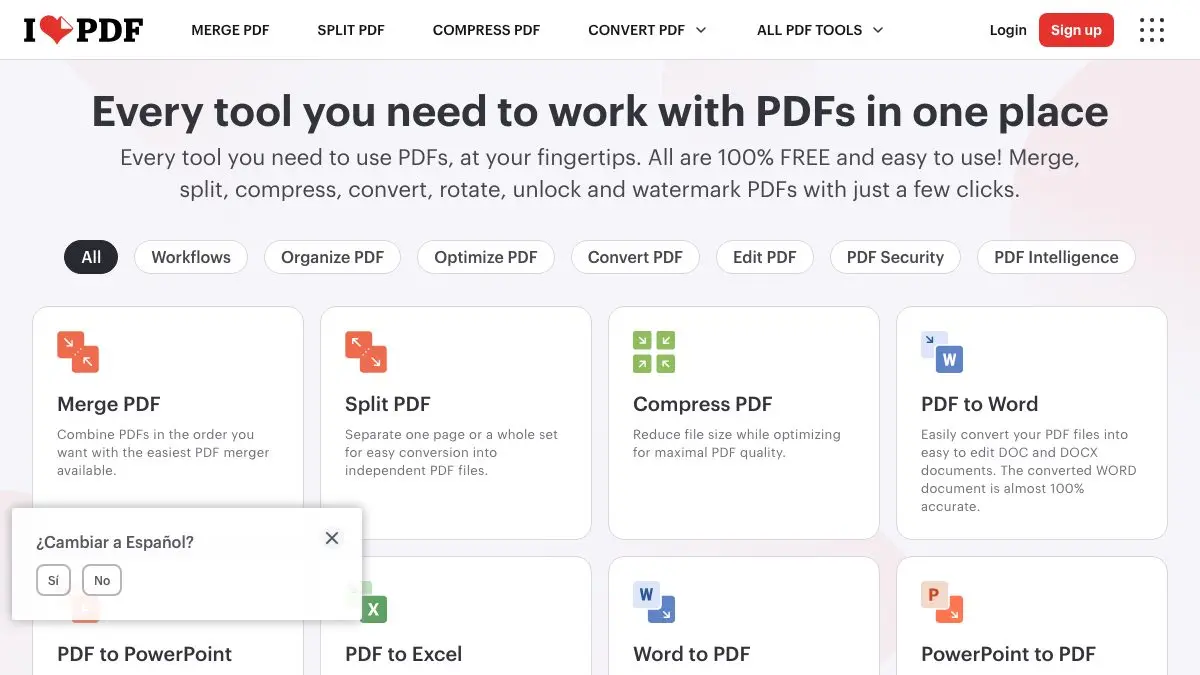
It’s a wall of buttons, and that’s a compliment. iLovePDF is a suite of small, single-purpose PDF tools laid out on one page, you find the verb you need, click it, and you’re two clicks from done. No install, no learning curve, no sixty-dollar desktop suite with a ribbon interface designed in 2007.
The tools are grouped roughly like this:
- Organize: merge, split, remove pages, extract pages, scan to PDF
- Optimize: compress, repair damaged files, OCR
- Convert: PDF to and from Word, PowerPoint, Excel and JPG, plus HTML to PDF and PDF/A
- Edit: add text, images and shapes, rotate, crop, add page numbers, watermark, fill forms
- Security: unlock, password-protect, sign, redact, compare two versions
- AI: summarize a document, translate it, or convert it to Markdown
There are mobile apps for iOS and Android and desktop apps for Mac and Windows if you’d rather work offline, which is part of the Premium offering.
What can you do on iLovePDF?
Merge. The number one reason anyone lands here. Drag in a pile of PDFs, reorder the thumbnails, download one file. Thirty seconds.
Compress. That giant scan of a two-page form becomes emailable. Useful whenever an upload form sneers “maximum 5MB.”
Split and extract. Pull pages 4 through 9 out of a 200-page report without opening the whole thing in anything.
Convert. PDF to Word when you need to edit someone’s un-editable document. JPG to PDF when a portal insists on PDF and your phone insists on JPG.
Sign. Draw or type a signature, drop it on the page, send it back. No printer, no scanner, no “I’ll get to it tomorrow.”
Protect and unlock. Add a password before you send a bank statement, or remove one from a file you already have the password for.
Page numbers and watermarks. Small things, but every alternative involves a full word processor and a bad afternoon.
Tips to get the most out of it
- Compress before you convert, not after. Converting a bloated scan produces a bloated result. Squeeze first, then convert, and you’ll skip a round trip.
- OCR anything that came from a scanner. Without it, your PDF is a stack of photographs, unsearchable, uncopyable, useless to a screen reader. OCR turns the pixels into real text. Advanced OCR is a Premium feature, but it’s the single upgrade worth caring about.
- Use “Compare” for contract revisions. When someone sends back version 3 with “a few small tweaks,” the compare tool finds the tweaks they forgot to mention.
- Reorder in the merge screen, not beforehand. You can drag the thumbnails into any order right in the tool, so don’t waste time renaming files 01, 02, 03 first.
- Redact means redact, a black rectangle doesn’t. If you’re hiding sensitive information, use the redact tool rather than drawing a black box over it, because a drawn box can be moved aside and the text underneath read.
If you like iLovePDF, also try…
- CloudConvert: when the format you’re stuck with isn’t a PDF at all. It handles 200-plus formats across documents, audio, video, ebooks and more.
- Squoosh: the image equivalent. Shrink a photo dramatically with a live side-by-side quality preview.
- remove.bg: knocks the background out of any photo in seconds, which pairs nicely with building a clean-looking document.
Browse the rest of the toolbox in Tools & Utilities.
Frequently asked questions
What is iLovePDF?
iLovePDF is a free web toolkit for working with PDF files. It handles merging, splitting, compressing, rotating, watermarking, page numbering, OCR, e-signatures, password protection and conversion to and from Word, Excel, PowerPoint, JPG and HTML. Everything runs in the browser, so there is nothing to install.
Is iLovePDF free?
The core tools are free to use and you can run most of them without creating an account. A Premium subscription adds things like offline desktop apps, advanced OCR for scanned documents and secure e-signature requests, but for everyday merging, splitting and compressing the free version is all most people need.
Can iLovePDF convert a PDF to Word?
Yes. iLovePDF converts PDF to Word, Excel, PowerPoint and JPG, and converts those formats back into PDF. Results are best with digitally generated PDFs; scanned documents need OCR first to turn the page images into selectable text.
Do I need an account to use iLovePDF?
No account is required for the basic tools, you can open the site, drop in a file and download the result. Signing in unlocks Premium features and lets you work with larger batches, but the common tasks work anonymously.