// 2026-08-05 · Maps & Exploration · by Bob Smith
100,000 Stars: Fly Through Our Corner of the Galaxy
100,000 Stars is a browser visualization of the nearest hundred thousand stars, letting you zoom from the Sun out to the shape of the Milky Way in one move.
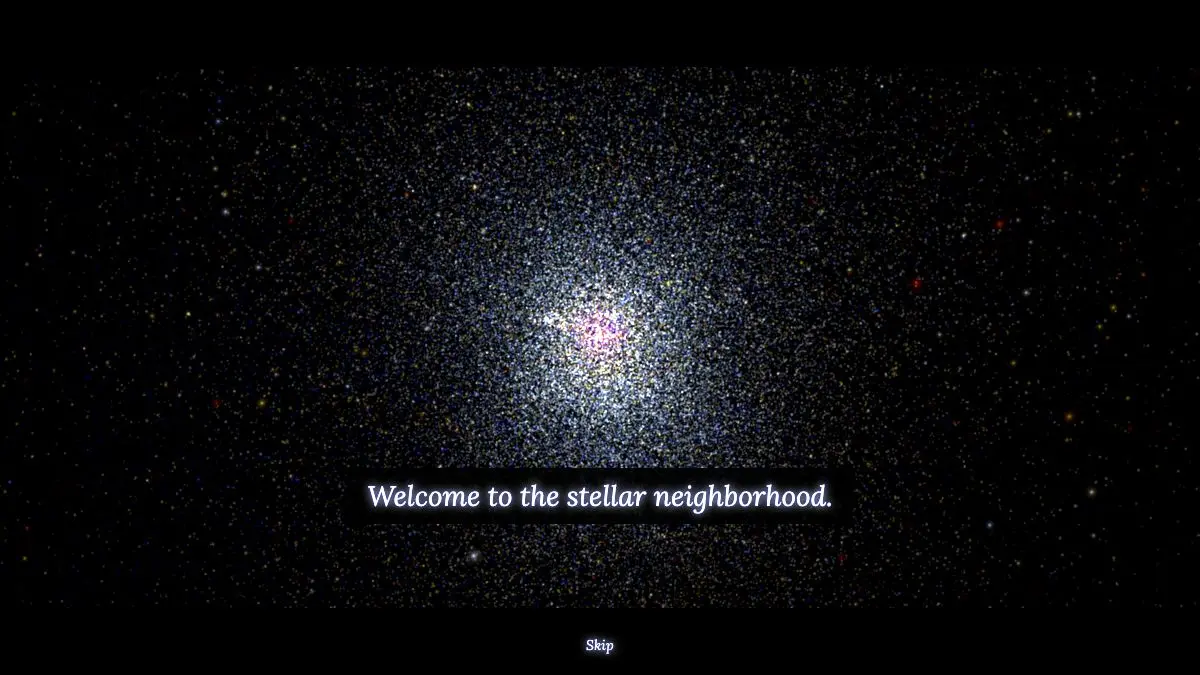
100,000 Stars opens on our Sun, alone in the dark, with a piece of Air’s soundtrack starting up. Then you scroll out. Nearby stars appear, labeled with names you half recognize. Keep going and the labels thin out, the scale markers start reading in thousands of light years, and eventually you are looking down at the whole spiral of the Milky Way with a small marker showing where you started.
It takes about ninety seconds and it recalibrates something.
What is 100,000 Stars?
It was built as a Chrome Experiment, one of a set of projects made to show what browsers could do once WebGL arrived and 3D graphics stopped requiring a plugin. Most of those demos were technically impressive and forgettable. This one stuck around, because underneath the graphics it is doing something genuinely useful.
The core is real data. The positions of the roughly hundred thousand stars nearest to us come from published astronomical catalogs, plotted in three dimensions rather than flattened onto a sky map. That distinction matters more than it sounds. A star chart shows you direction. This shows you distance, which is why the familiar constellations dissolve as soon as you move off Earth’s viewpoint: they were never shapes, just coincidences of alignment.
The named stars are clickable. Select one and you get a short card with what is actually known about it, its spectral type, its distance, and a note on why it is notable. Sirius, Vega, Betelgeuse, Alpha Centauri, the ones with names people recognize without knowing anything about them.
Zoom further and the visualization hands off. Beyond the surveyed neighborhood it switches to a rendering of the galaxy as a whole, which is necessarily an artist’s reconstruction, since nobody has ever photographed the Milky Way from outside. The site is upfront about the transition rather than pretending the whole thing is observational.
The scale readout in the corner is the quiet star of the show. Watching it climb from light-minutes to light-years to tens of thousands of light-years while the view changes smoothly is the closest most people get to feeling the numbers instead of reading them.
What can you do with 100,000 Stars?
- Zoom continuously from the Sun to the galaxy. One uninterrupted motion across roughly nine orders of magnitude, which is the whole reason it exists.
- Click a named star. Get its distance, spectral class, and a short note on what makes it interesting.
- Take the guided tour. A short automated flight that hits the highlights and explains the scale transitions, worth doing once before free flying.
- Watch the constellations fall apart. Move off Earth’s vantage point and the familiar patterns stop being patterns, which is the best demonstration of what a constellation actually is.
- Find our neighbors. Alpha Centauri, Barnard’s Star, Wolf 359 and the rest of the genuinely nearby stars, positioned properly relative to each other.
- Just let it run. Leave it on the galaxy view with the music going. It is a better screensaver than most screensavers.
Tips to get the most out of it
Do the guided tour first. It is short, it explains what you are looking at, and it prevents the common outcome of spinning the camera for a minute and closing the tab. After the tour the free exploration makes far more sense.
Leave the sound on. The Air track was licensed for this and it is doing real work. The visualization is noticeably flatter in silence, which is an odd thing to say about a data plot.
Zoom slowly through the transitions. The interesting moments are the boundaries: where individual stars stop resolving, where the labels give out, where the data ends and the rendering begins. Scrolling fast skips all of them.
Watch the scale indicator, not the stars. The corner readout is where the comprehension actually happens. Track it while you zoom and the distances stop being abstract.
Use a real machine. This is heavy for a web page. A desktop or a decent laptop with WebGL enabled gives you smooth motion; a phone gives you a slideshow.
Go back to the Sun at the end. Zooming all the way out is the impressive half. Zooming all the way back in, and finding the one unremarkable dot, is the half that lands.
If you like 100,000 Stars, also try…
- WorldWide Telescope: the same sky, but as real survey imagery you can browse across wavelengths.
- If the Moon Were Only 1 Pixel: the solar system at true scale, which mostly means a very long scroll through nothing.
- Scale of the Universe: the same zoom trick applied to size rather than distance.
- Dark Site Finder: for when the simulation makes you want to go outside and look up.
More vertigo-inducing perspective in Maps & Exploration.
Frequently asked questions
What is 100,000 Stars?
100,000 Stars is an interactive 3D visualization of the stars nearest to our Sun, built as a Chrome Experiment using WebGL. It plots real stellar positions from astronomical catalogs and lets you zoom continuously from the Sun's neighborhood out to a rendering of the whole Milky Way. Named stars are labeled and clickable.
Is 100,000 Stars free?
Yes, it is free and runs entirely in a browser with no account or install. It was made as a demonstration of what WebGL could do in the browser and has stayed online since.
Is the star data real?
The stellar positions come from published astronomy catalogs, so the arrangement of nearby stars is based on real measured data. The galaxy view further out is an artistic rendering, since we cannot photograph the Milky Way from outside it, and the site says so.
What do I need to run it?
A modern browser with WebGL enabled and a machine with reasonable graphics capability. It is fairly demanding for a web page, so an older laptop may struggle, and it works best on a desktop rather than a phone.