// 2026-06-27 · Entertainment & Fun · by Bob Smith
The Powder Toy: A Physics Sandbox With No Guardrails
The Powder Toy is a free physics sandbox with heat, pressure, gravity and working electronics. Build a nuclear reactor, then melt it. Open source and free.
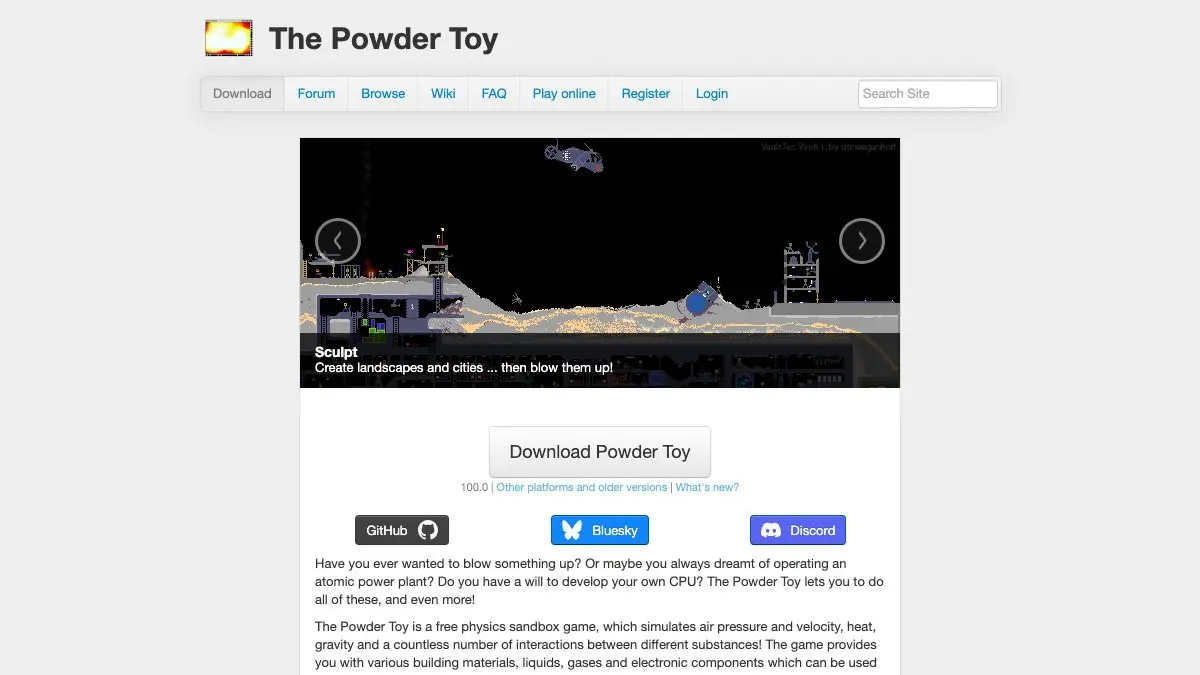
The Powder Toy is a free, open-source physics sandbox where you build machines out of simulated matter. Heat, pressure, air currents, gravity and chemistry are all modeled properly, which means a wall isn’t just a wall, it can conduct, melt, crack under pressure or explode. It is the falling-sand genre taken to its absolute logical extreme, and it is completely free.
What is The Powder Toy?
Most sand toys give you a dozen materials and a few rules. The Powder Toy gives you a periodic table’s worth, sorted into categories: powders, liquids, gases, solids, explosives, radioactive materials, electronics, walls and a set of special tools. Every element has real properties, a melting point, a boiling point, a density, a conductivity, a flammability, and the simulation enforces all of them at once.
That sounds like homework. It isn’t. It means the simulation surprises you constantly. Heat a solid past its melting point and it becomes liquid. Keep heating and it becomes gas. Trap that gas and the pressure builds until it blows the walls out. Nobody wrote an “explosion” animation; the pressure just went somewhere.
The other thing that makes it special: it’s been around for years, it’s open source, and it has a community that treats it as a serious engineering platform. The online save browser is full of things that should not be possible in a 2D pixel sandbox, working CPUs, functioning combustion engines, cities with power grids, chain-reaction art pieces.
What can you build in The Powder Toy?
Start simple. Draw some sand. Set it on fire. Pour water on it. Then get ambitious.
- Thermal engineering. Heat and cool anything with the temperature tools. Freeze a lake, superheat a metal plate, or set up a boiler that drives pressure through a pipe.
- Pressure and air flow. The air around your build is simulated. Explosions push things. Vacuums suck things in. You can build actual pneumatics.
- Electronics. Metals conduct. Semiconductors switch. With the right components you can wire genuine logic gates, latches, clocks and counters: people have built working calculators this way.
- Radioactivity. Neutrons, fissile material and the whole uncomfortable business of a chain reaction. Build a reactor with proper cooling and control, or don’t, and enjoy the consequences.
- Explosives and demolition. An entire category exists purely for taking your own creations apart, which is at least half of what you’ll do.
- Gravity fields. Switch on Newtonian gravity and your particles start attracting each other. Suddenly you’re making planets instead of piles.
- Lua scripting. There’s a built-in console for people who want to automate, script custom behavior, or add tools of their own.
And then there’s the save browser. Thousands of community creations, sorted and tagged, and every one of them opens as a live simulation you can poke, break and rebuild. It’s the best tutorial the game has: find something spectacular, open it, and reverse-engineer how it works.
Grab it from powdertoy.co.uk.
Tips to get the most out of it
- Learn the two view modes early. Switching the display to show heat or pressure instead of plain color turns an incomprehensible mess into a readable diagram. If a build keeps failing, look at it in heat view and you’ll usually see why in about three seconds.
- Hover over an element before you use it. The interface tells you what each one actually is and does. Ten seconds of reading saves you twenty minutes of wondering why your metal keeps vanishing.
- Insulate everything. Heat spreads much further than beginners expect. If your reactor keeps cooking itself, the problem is almost never the reactor, it’s that you built it out of something conductive and touching it.
- Use pause and single-step. You can freeze the whole simulation and advance one frame at a time. This is the only sane way to debug a circuit or watch exactly which particle set off the chain reaction.
- Open other people’s saves and delete things. The fastest way to understand a complicated build is to start removing parts and see what breaks. It’s destructive learning and it works.
If you like The Powder Toy, also try…
- Sandspiel: the same idea with a fraction of the complexity and twice the beauty. Runs in a browser tab, no download.
- Orb Farm: particle simulation as gardening. Build a sealed aquatic ecosystem and keep it alive.
- WebGL Fluid Simulation: no elements, no rules, just gorgeous liquid that follows your cursor.
- Scratch: if the Lua console gave you ideas, here’s a whole friendly programming environment for building things that move.
- Browse more of the good stuff in Entertainment & Fun.
Frequently asked questions
What is The Powder Toy?
The Powder Toy is a free, open-source physics sandbox where you build things out of simulated matter. It models heat, pressure, air flow, gravity and chemical reactions across a large library of elements, including working electronics and radioactive materials. It is the most detailed falling-sand-style simulator available.
Is The Powder Toy free?
Yes. The Powder Toy is free and open source, with no ads, purchases or unlockable content. You can download it for Windows, macOS and Linux straight from the official site.
Is The Powder Toy hard to learn?
The basics take about ten seconds, pick an element, click, watch it react. The depth takes much longer. Because the simulation models temperature, pressure and conductivity properly, advanced builds like reactors and logic circuits reward patient experimentation.
Can you play The Powder Toy online?
The Powder Toy is primarily a desktop application you download and run locally, which is what lets it simulate so many particles at once. The website hosts the downloads plus a huge browsable archive of saves made by other players that you can open inside the app.