// 2026-08-05 · Productivity · by Bob Smith
RambleFix: Talk Nonsense, Get Clean Text Back
RambleFix lets you speak into your mic without planning a sentence, then uses AI to turn the meandering result into tidy written text you can actually send.
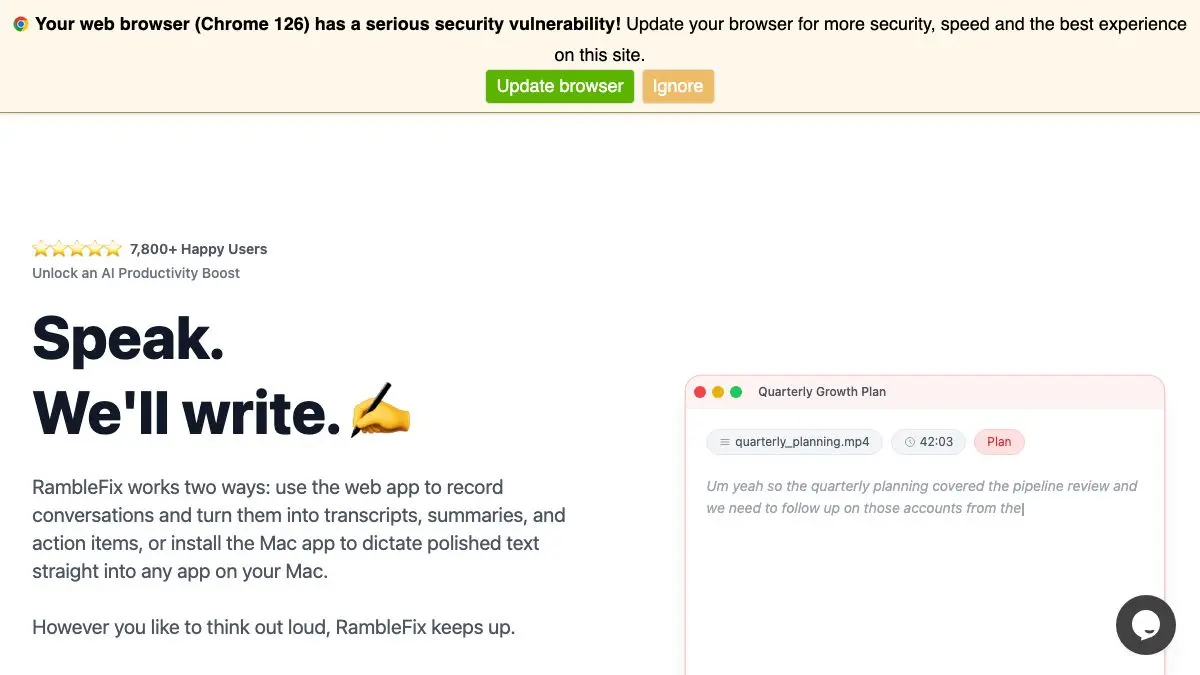
RambleFix is built on an observation that anyone who has ever stared at an empty text box will recognize immediately: you already know what you want to say. You could explain it out loud to a colleague in thirty seconds. It is only when you have to type it that everything seizes up and you spend twenty minutes rewriting the first sentence.
So RambleFix removes the typing. You talk, badly, in circles, with all the “actually, wait, let me start again” that real thinking involves. It hands back clean prose.
What is RambleFix?
Dictation software has existed for decades and has always had the same flaw. It is extremely good at capturing exactly what came out of your mouth, which turns out to be the problem. Human speech is full of false starts, filler, repeated clauses, sentences that change direction mid-flight, and asides that go nowhere. A perfect transcript of a perfectly clear explanation still reads like a mess, and cleaning it up takes about as long as typing would have.
RambleFix bolts an editing pass onto the front end of that pipeline. Speech recognition converts your audio to text; a language model then rewrites the transcript into ordinary written English, cutting the noise and straightening out the structure. The output is not a record of what you said. It is what you meant, written down.
That distinction changes how you use it. Because the cleanup is doing the work, there is no incentive to speak carefully. You do not need to compose sentences in your head before opening your mouth, which is exactly the bottleneck that makes writing slow. You just explain the thing.
It is particularly effective for the vast category of writing that has to be clear but does not have to be beautiful: work updates, replies to long emails, bug reports, meeting notes, the explanatory paragraph at the top of a document, the message you have been putting off for three days. Anything where the difficulty is not artistry but the sheer friction of converting thought into typed characters.
The practical effect is that a lot of writing stops being a task you schedule and becomes something you do while walking around the room.
What can you do with RambleFix?
- Draft emails by talking. Explain the situation out loud and edit the returned draft, rather than typing from a blank screen.
- Capture an idea before it evaporates. Say the whole half-formed thought, filler and all, and get back something you can still understand next week.
- Turn a rambling explanation into documentation. Talk through how a process works and clean up the structure afterward.
- Write on the move. It runs in a mobile browser, so a walk becomes drafting time.
- Beat the blank page. Speaking a bad first draft is far easier than typing one, and a bad draft is the hard part.
- Get through the writing you keep avoiding. The reply you have not sent is usually a friction problem, not a content problem.
Tips to get the most out of it
Ramble on purpose. The instinct is to speak in tidy, complete sentences, which is slow and defeats the point. Say too much, repeat yourself, correct yourself out loud. The cleanup pass exists precisely to absorb that.
Say the structure as you go. Phrases like “first point”, “the main thing is”, and “as a caveat” give the model real signal about how the piece should be organized, and they disappear from the output.
Get the audio right before you blame the tool. Speech recognition is the weak link in any dictation pipeline, and a quiet room with a decent headset mic dramatically outperforms a laptop mic in a coffee shop.
Always read the result. AI cleanup smooths, and smoothing occasionally sands off a detail that mattered or slightly changes a hedge into a promise. Treat the output as a strong first draft rather than a finished message.
Do one idea per session. Short recordings covering a single topic produce noticeably tighter results than a fifteen-minute stream covering four unrelated things.
Keep sensitive material out of it. Audio goes to a server for processing, so the usual rule applies: do not dictate confidential client detail or personal data into a hosted tool.
If you like RambleFix, also try…
- Hemingway Editor: the sharpening pass for prose you have already drafted.
- Notepad: somewhere immediate and account-free to park the output.
- OneLook Reverse Dictionary: for when you can describe the word but cannot retrieve it.
- RhymeZone: a deeper word-finding toolkit than its name suggests.
More ways to get words out of your head in Productivity, and further useful odds and ends in Tools & Utilities.
Frequently asked questions
What is RambleFix?
RambleFix is a browser-based dictation tool that combines speech recognition with an AI cleanup pass. You talk into your microphone, however messily, and it returns edited written text with the false starts, filler words and repetition removed. The idea is to separate thinking out loud from writing well.
How is RambleFix different from normal dictation?
Standard dictation transcribes exactly what you said, including every 'um', every restart, and every sentence you abandoned halfway. RambleFix adds an editing step on top of the transcript, reorganizing the raw speech into something readable. You get a draft rather than a transcript.
Is RambleFix free?
It offers free use with paid options for heavier usage, which is the standard shape for tools that run AI models on each request. Check the site for the current limits, since these tend to change as costs do.
Do I need to install anything?
No. It runs in a browser and uses your device's microphone, so it works on a laptop or a phone without an app. You will need to grant microphone permission the first time, and a working internet connection, since the processing happens server-side.