// 2026-08-17 · Music & Audio · by Bob Smith
myNoise: 300+ Soundscapes You Tune Slider by Slider Until the World Goes Quiet
myNoise is a Belgian engineer's one-man library of adjustable soundscapes — ten sliders per generator, field recordings instead of AI, a hearing calibration that shapes the sound to your ears, free on the web with no account.
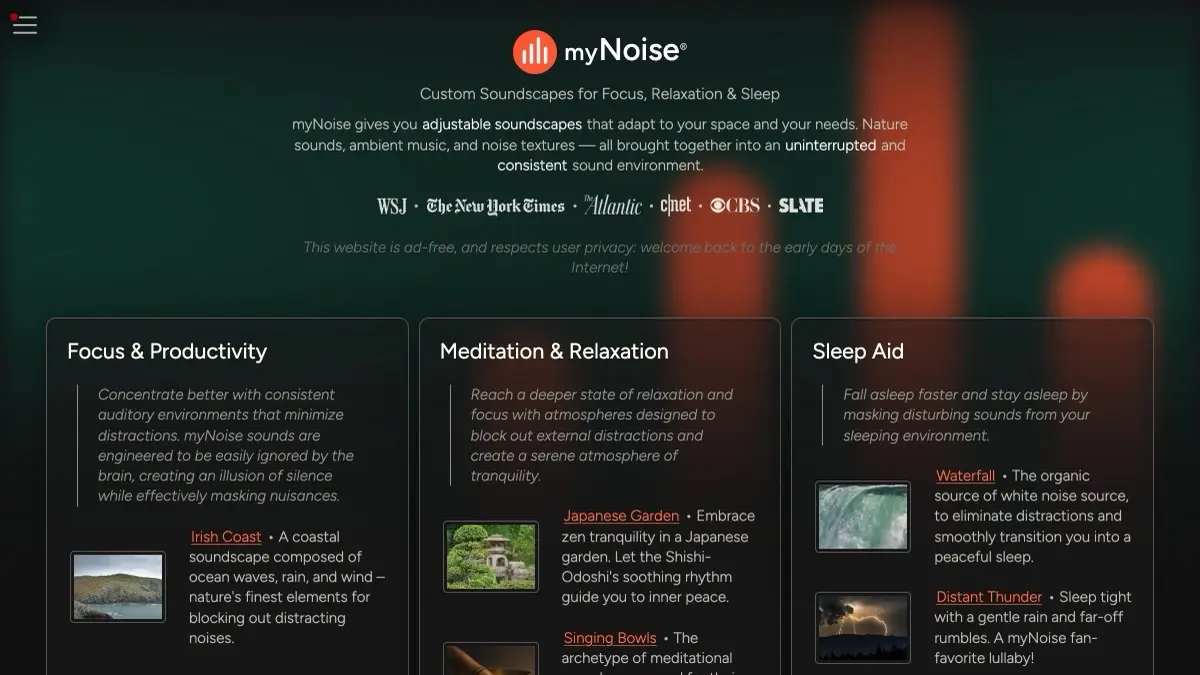
myNoise looks, at first glance, like every other rain-sounds website. Open a generator and the difference shows up immediately: there are ten sliders under the player, and they are all doing something different.
On the rain generator, one slider is the drizzle, one is the heavy downpour, one is the drops hitting a window, one is distant thunder. You are not choosing a track. You are building a wall of sound at exactly the shape and thickness needed to bury whatever is annoying you — the neighbour’s television, the open-plan office, the ringing in your own ears.
Once that clicks, it is hard to go back to a play button.
What is myNoise?
myNoise is the work of one person: Stéphane Pigeon, a Belgian engineer with a PhD in applied sciences who spent his career in signal processing and audio, and who also runs AudioCheck.net and HearingTest.online. He launched myNoise in 2013 and has maintained and expanded it single-handedly ever since, with occasional collaborators for individual soundscapes.
The engineering background is the whole point. Each generator is a set of independently looped sound layers assigned to frequency bands, so moving a slider is closer to shaping a spectrum than to adjusting a volume knob. The site calls this spectral shaping, and it is why myNoise masks noise so much more efficiently than a plain recording: you can pour energy into the exact band where the distraction lives and leave the rest of the spectrum alone.
The library passed 300 generators some time ago and, counted by sliders rather than titles, adds up to more than 3,000 individual tracks. The categories run from the obvious — natural noises, synthetic noises, landscapes, ambiences — to the strange: Fantasy, Magic, Tonal Drones, Industrial, Transports, Spaces. Site favourites include Irish Coast, Japanese Garden, Distant Thunder, Rain on a Tent, Singing Bowls, Gregorian Chants, Medieval Library and Data Center, which is exactly what it sounds like and is beloved by people who cannot concentrate without server-room hum.
By 2016 the site had climbed into the top 10,000 most-visited websites in the US, and it took another jump in 2020 when a few million people suddenly discovered that their homes were not offices. The recordings are real: field-recorded nature, real musicians for the musical soundscapes, and an explicit published stance against AI-generated audio.
What can you do with myNoise?
- Mix any soundscape from its parts. Ten sliders per generator, saved automatically, so your version of “rain” is yours and not a stranger’s idea of rain.
- Calibrate the sound to your hearing and your room. A short test walks band by band and builds a compensation curve, after which masking works at a noticeably lower volume.
- Animate the sliders. Turn on animation and the mix drifts slowly on its own, which keeps a soundscape from turning into wallpaper your brain filters out after ten minutes.
- Combine generators. Run two at once, or use the Super Generator and composite pages that blend several libraries into one control panel.
- Set a timer. Fade out after a set time for sleep, or use it as a soft focus session.
- Browse the community files. Other listeners publish their slider presets, which is the fastest route to a good mix for a specific problem like “block a colleague’s phone calls”.
- Use it for tinnitus masking. The combination of per-band control and calibration is the reason the site turns up repeatedly in tinnitus discussions and research on sound-based relief.
- Take it offline. iOS and Android apps exist — iOS since 2014, Android since 2017, both redesigned in 2023 — for when there is no connection or you want it in the background on a phone.
Tips to get the most out of it
- Do the calibration once, properly, with the headphones you actually use. It takes about two minutes and it is the difference between myNoise and a YouTube rain loop. Redo it if you change headphones.
- Start with all sliders down, then raise only what you need. Most people default to a wall of everything at full volume; a targeted mix at half the level works better and is far less tiring over a workday.
- Match the mask to the nuisance. Speech sits in the mid frequencies, so raising mid-heavy layers — rain on hard surfaces, café babble, tonal drones — kills conversation far better than a big rumbling low end.
- Turn on animation for long sessions. A static mix stops being heard after a while; a slowly moving one keeps working without ever demanding attention.
- Try the weird categories. Data Center, Medieval Library, Industrial and the fantasy soundscapes are not novelties — they are often the most effective focus tools because they contain no music, no speech, and no melody to follow.
- Bookmark the specific generator, not the homepage. Every generator has its own URL and remembers your slider positions, so a bookmark restores your exact mix on the next visit.
- Donate if you use it daily. There is one person keeping this alive with no ads and no data harvesting, and the patron unlock happens to also be the way you get the rest of the library.
If you like myNoise, also try…
- A Soft Murmur: the same idea at a smaller scale — a handful of sliders, no calibration, instant results when you want a mix in five seconds.
- musicForProgramming: when you want something composed rather than generated, sequenced specifically for long stretches of concentration.
- LoFi ATC: live air traffic control chatter over lo-fi beats, which is human voices used as texture rather than distraction.
- Radio Garden: spin a globe and land in someone else’s local radio station, for the days when you want the world in rather than out.
Browse more things worth bookmarking in our Music & Audio collection.
Frequently asked questions
What is myNoise?
myNoise is a library of interactive background soundscapes — rain, waves, cafés, drones, ambient music — where each generator is built from about ten separate sound layers and you get a slider for every one. Instead of pressing play on a fixed recording, you build the exact mix that covers whatever is distracting you. It was created in 2013 by Stéphane Pigeon, a Belgian signal-processing PhD and sound designer who still runs the whole thing himself, and it now holds more than 300 generators which the site counts as over 3,000 individual tracks once you count sliders rather than titles.
Is myNoise free, and do I need an account?
The website is free, ad-free, and needs no account to play anything. It runs on donations: contributing once gives you a lifetime patron account that unlocks the generators held back from the public index, lets you save favourites, and syncs your presets. The mobile apps for iOS and Android are separate — they ship with free soundscapes and sell bundles inside the app, and buying there does not unlock the website. Nothing on the site is gated behind a signup wall; the payment ask is a plain donation banner you can ignore forever.
What is the hearing calibration for?
Every generator's sliders are mapped to frequency bands, so the mix is really a ten-band equaliser wearing a nicer costume. The calibration plays each band and asks you to raise it until it is just audible over your room and your headphones. The resulting curve compensates for your hearing, your gear and the noise you are actually sitting in, which is why a calibrated soundscape masks a conversation at a much lower volume than an uncalibrated one. For anyone using sound to mask tinnitus, this is the feature that makes myNoise different from a rain video.
Does myNoise use AI-generated audio?
No, and it says so loudly. The site publishes an AI manifesto stating that nature sounds are recorded in the field and musical soundscapes are played by real musicians. Pigeon records much of the material himself on trips, which is why the library has oddly specific entries — a particular Irish coastline, a specific Japanese garden — rather than the interchangeable loops that fill streaming ambient playlists. It is also the reason new generators arrive at a handful a month rather than a thousand a week.