// 2026-08-05 · Design & Creativity · by Bob Smith
Brat Generator: Make the Lime-Green Album Cover in Ten Seconds
Brat Generator recreates the blurred lime-green Brat album cover with any text you like. Type a word, download a PNG, and you are done. Free, no signup.
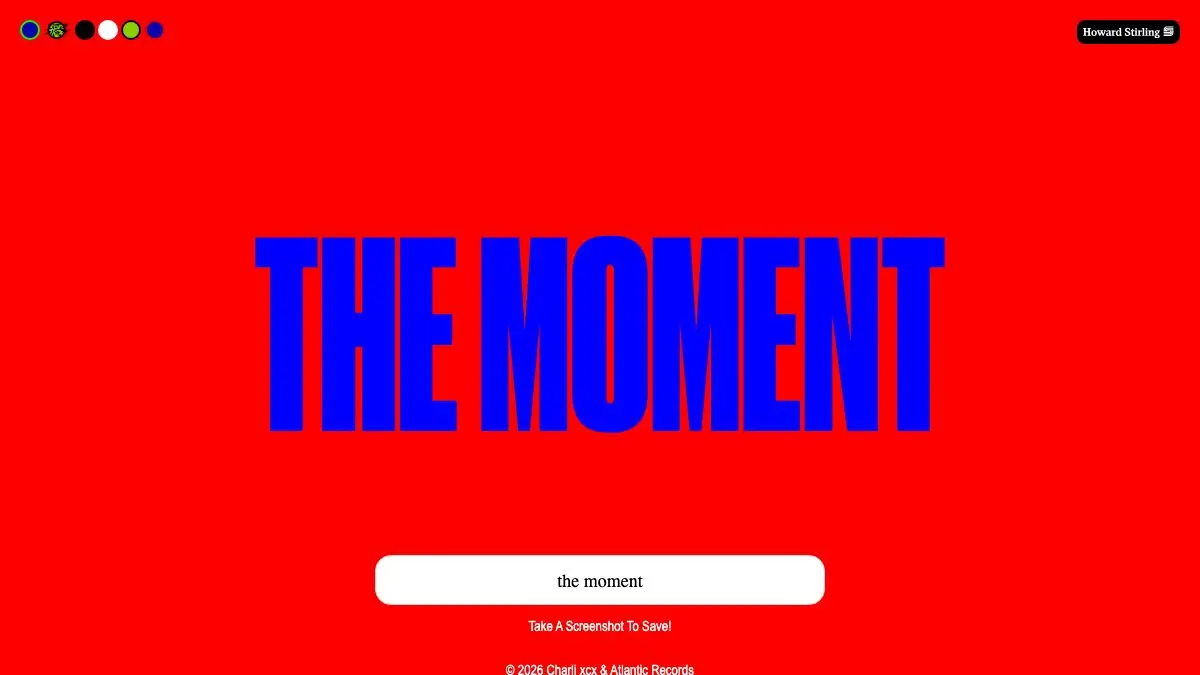
Brat Generator does exactly one thing and does it in under ten seconds. Type a word. Get it rendered as lowercase, slightly out-of-focus text on a flat lime-green square. Download. Post.
That is the entire product. It is also, for a stretch of 2024, one of the most-used image tools on the internet, because the design it copies became a whole aesthetic and everyone wanted their own version.
What is Brat Generator?
In June 2024 Charli XCX released an album called Brat with cover art that looked like a mistake. A single flat lime green — a genuinely unpleasant, almost institutional green — with the album title in small, lowercase, blurry sans-serif type, off-center-ish, and nothing else. No photograph, no logo, no design in the conventional sense.
It worked, spectacularly. The cover was so reduced that it became infinitely reproducible: a color, a typeface, a blur. Anyone could make one. And so everyone did, until the format had been applied to every possible joke, brands were awkwardly attempting it, and the green itself was being used as shorthand in contexts that had nothing to do with music.
Brat Generator is the tool that industrialized that. It replicates the layout — the specific green, lowercase text, the blur that softens the letters just enough — and lets you swap in any string you want. You get a text box, controls for a few parameters like the blur amount and font sizing, a live preview, and a download button.
There is a real design lesson buried in the silliness. The cover is a case study in how far you can strip an identity down and still have it be instantly recognizable. One color plus one type treatment turns out to be enough, provided the color is committed to and the type treatment is unusual enough to be a signature rather than a default. Most brand guidelines run to forty pages and achieve less.
The generator also demonstrates the other half of that lesson: a design that reduces cleanly is a design that copies cleanly. The same minimalism that made the cover memorable made it trivially cloneable, which is how it ended up everywhere within weeks.
What can you do with Brat Generator?
- Type any text. The core function — enter your words and see them rendered in the style immediately.
- Adjust the blur. The defining property of the look. More blur reads as authentic; less reads as someone who did not get the joke.
- Change the text size. Longer phrases need smaller type, and the balance between text and empty green is most of the composition.
- Preview live. Changes appear as you type, so tuning takes seconds rather than a render cycle.
- Download a PNG. One click, image saved, ready to post anywhere.
- Try the color variations. Alternate versions of the palette exist, and some tools offer the different editions that followed the original release.
- Make it a placeholder. It is a surprisingly effective stand-in image for mockups and slide decks, mostly because nobody can ignore it.
Tips to get the most out of it
Keep the text short. One or two words. The original works because there is a vast amount of empty green around a small amount of type, and every word you add eats into the thing that makes it recognizable.
Do not fix the blur. The instinct of anyone with design training is to sharpen it. Resist. The softness is the signature, and a crisp version just looks like text on a green background.
Lowercase only. Capitals break the reference instantly. This is the fastest way to make a Brat image that reads as wrong without the viewer being able to say why.
Respect the green. The specific shade is doing the heavy lifting. A slightly different lime looks like a knockoff, which is worth remembering if you are rebuilding the effect in another tool.
Know that the joke has aged. The format peaked hard and has been used for everything. Deploying it now works best when it is knowingly late rather than earnestly current.
Think before you print it on anything. Making a picture is fine. Selling merchandise built on a distinctive commercial album identity is a different category of activity with different consequences.
If you like Brat Generator, also try…
- Hex Clock: a full-screen clock where the time is the background color, another one-idea design object.
- Coolors: for when you need a palette that is not aggressively lime.
- Color Hunt: curated color combinations, browsable for hours.
- Polotno Studio: a free browser design editor for when a green square is no longer enough.
More single-purpose design toys in Design & Creativity, and more pointless brilliance in Weird & Wonderful.
Frequently asked questions
What is Brat Generator?
Brat Generator is a free single-purpose web tool that recreates the visual style of Charli XCX's Brat album cover — lowercase text, slightly blurred, centered on a flat lime-green square — using whatever words you type. You enter your text, adjust a couple of settings, and download the result as an image. There is no account and nothing to install.
Is Brat Generator free?
Yes. Typing text and downloading the image is free, with no signup required. The site is ad-supported, which is the usual arrangement for a tool this small and this heavily used.
Can I use a Brat Generator image commercially?
Be careful. The tool itself is free to use, but the design it imitates is closely associated with a commercial album, and the color and layout are strongly identified with that release. Personal posts, memes and jokes are the normal use. Anything commercial — merchandise especially — risks trademark and brand issues, so get proper advice before selling something based on it.
What font does the Brat cover use?
The album artwork uses a plain grotesque sans-serif, set in lowercase and deliberately blurred, and the generator approximates that look rather than claiming to use the exact original file. The blur is doing more work than the typeface — a crisp version of the same letters looks noticeably wrong.