// 2026-06-30 · Design & Creativity · by Bob Smith
Weave Silk: Draw Symmetrical Art You Can't Get Wrong
Weave Silk turns any mouse drag into glowing symmetrical generative art. No skill required, no signup, and your first attempt will already look framed-worthy.
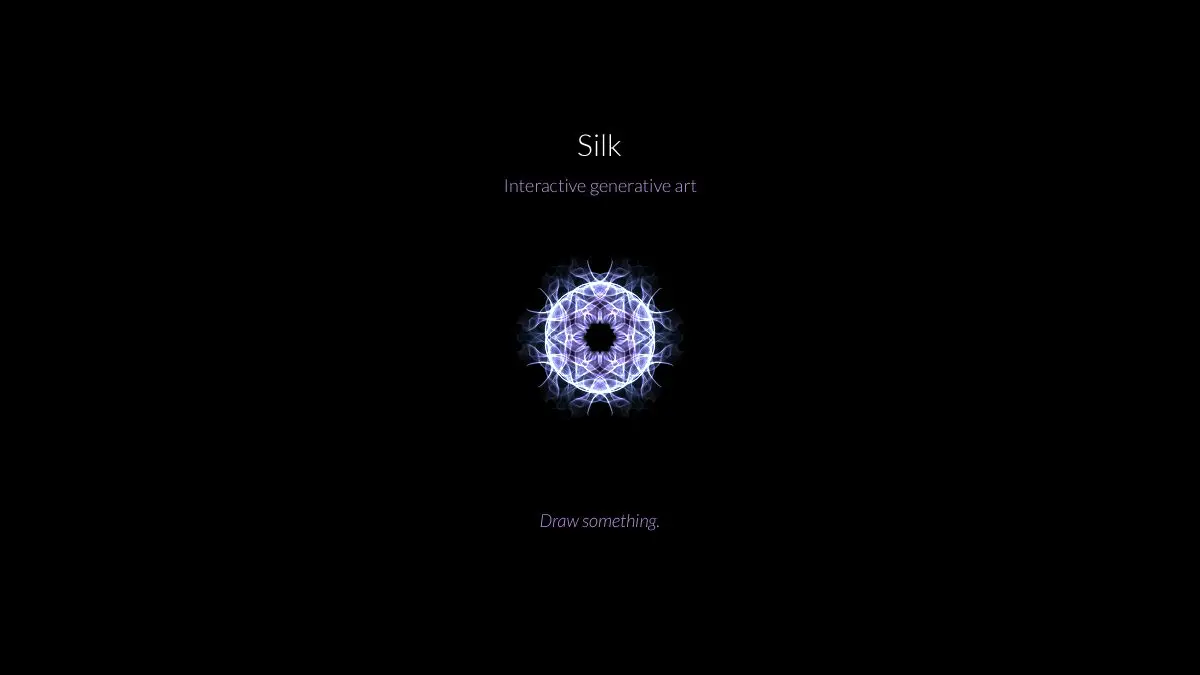
Weave Silk is a free browser drawing toy with one very good trick: every stroke you make is mirrored around a center, so a plain wobbly line becomes a glowing symmetrical ornament. Drag your cursor around for ten seconds and you’ll have something that looks like a Fabergé egg, a snowflake, or a nebula. No account, no download, no skill required.
What is Weave Silk?
Most drawing apps hand you a blank canvas and quietly dare you to be talented. Weave Silk removes that problem by cheating on your behalf.
You drag. The site draws your line, and simultaneously draws several mirrored copies of it arranged around a central point. Those copies meet in the middle, overlap, and knit into a pattern. Because symmetry is the thing human brains find beautiful more reliably than almost anything else, the output looks intentional even when your hand was doing nothing of the sort.
The other half of the magic is the rendering. Strokes come out as soft, luminous, silk-like threads on a dark background, and the color drifts gradually as you work, so a single long stroke fades from teal to violet without you touching anything. Layer a few of those and you get depth that looks painted rather than drawn.
It’s a very old-fashioned kind of web page in the best sense. One screen, one idea, no menus to learn, and it works immediately.
What can you do on Weave Silk?
Genuinely: drag. But there’s a little more under the hood.
- Change the symmetry. You can control how many mirrored copies of your stroke appear. Low numbers give you organic, wing-like shapes. High numbers give you dense mandalas and snowflakes.
- Toggle the mirror. Reflecting across an axis on top of the rotation changes the character completely: from a spinning pinwheel to something more like a butterfly or a stained-glass window.
- Let the color drift. The palette shifts as you draw, so long unbroken strokes produce gradients for free. Short quick strokes stay closer to one hue.
- Build up density. Nothing you draw erases anything else. Go over the same region repeatedly and the glow accumulates into bright hot cores, which is how you get the ones that look like galaxies.
- Undo and clear. You can back out of a stroke you hate or wipe the canvas entirely and start fresh. It costs nothing to start over.
- Save the image. When you make something good, keep it. The dark background and glowing lines make these unusually good wallpapers.
Try it at weavesilk.com. Give it thirty seconds before you decide anything.
Tips to get the most out of it
- Move slower than feels natural. Fast strokes come out thin and scratchy. Slow, deliberate drags lay down thick luminous ribbons and let the color drift far enough to actually see the gradient. Speed is the single biggest lever on how the result looks.
- Draw off-center. Everyone’s first instinct is to scribble around the middle, which produces a tight ball. Start your strokes near the edge and sweep inward, you get long sweeping arcs that reach across the whole canvas.
- Change the symmetry mid-piece. Lay down a low-symmetry base with a few big sweeping strokes, then bump the symmetry way up and add fine detail on top. The mismatch between layers is what makes a piece look composed rather than generated.
- Use the middle as a light source. Concentrate a few short strokes right at the center so the glow accumulates into a bright core, then radiate longer strokes outward from it. Instant sun, instant nebula.
- Stop earlier than you want to. The classic failure mode is one stroke too many, at which point the whole thing turns into a bright mush. If it looks great, save it then, not after “just one more.”
If you like Weave Silk, also try…
- Patatap: press keys, get shapes and sound. The audio-visual cousin of the same idea.
- WebGL Fluid Simulation: drag your cursor through photoreal liquid and watch color bloom and swirl.
- AutoDraw: another tool that makes bad drawing look good, this time by guessing what you meant.
- Coolors: when you want to take the colors you found and build a real palette out of them.
- Plenty more in Design & Creativity.
Frequently asked questions
What is Weave Silk?
Weave Silk is a free browser drawing toy that mirrors every stroke you make around a central axis, turning ordinary scribbles into glowing symmetrical artwork. You drag your cursor, the site multiplies the line into a symmetrical pattern, and the colors shift gradually as you draw. No drawing ability is required.
Is Weave Silk free?
Yes. Weave Silk is free to use in any browser with no account needed, and you can save the images you make. There is nothing to install.
Do I need to be good at drawing to use Weave Silk?
Not at all, that is the whole point. Because every stroke is mirrored into a symmetrical pattern, even a random wobble comes out looking deliberate and ornate. It is one of the few art tools where beginners and experts produce comparably pretty results.
Can I save my Weave Silk artwork?
Yes, the site lets you save the image you have made so you can keep it, print it or use it as a wallpaper. Because the strokes glow against a dark background, the results work especially well as phone and desktop backgrounds.