// 2026-08-05 · Design & Creativity · by Bob Smith
SlidesCarnival: Free Slide Templates That Don't Look Free
SlidesCarnival offers hundreds of free, genuinely well-designed templates for Google Slides and PowerPoint, with matching fonts, palettes and icon sets included.
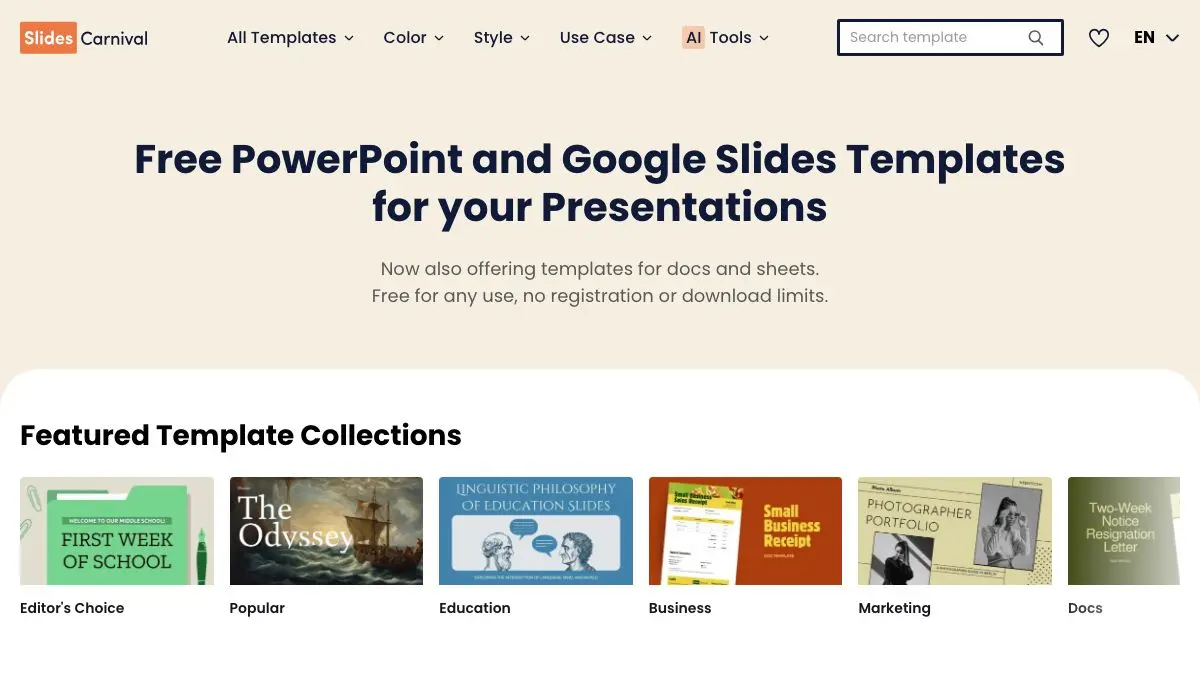
SlidesCarnival is a library of free presentation templates that, remarkably, look like someone designed them on purpose. Not the beige gradient with a swoosh. Not the one with the stock photo of a handshake. Actual coordinated typography, restrained palettes, and layouts that anticipate the slides you will really need.
It is one of those sites that saves a specific and universally dreaded hour: the hour between “I have to present this Thursday” and “the deck no longer looks like a hostage note.”
What is SlidesCarnival?
SlidesCarnival was started in 2015 by Jimena Catalina, a graphic designer, on the observation that the default templates shipped with presentation software are uniformly grim and that most people making a deck are not designers and do not want to become one at 11pm.
Each template is a complete system rather than a background image. You get a title slide, section dividers, text layouts, image layouts, comparison slides, timelines, charts, tables and a closing slide, all already styled. Crucially, the fonts and colors are set up as a theme, so the deck stays coherent as you add slides instead of degrading into six typefaces.
The range is genuinely broad: minimal corporate, playful hand-drawn, academic, retro, seasonal, dark, illustration-heavy. There are templates for a thesis defense and templates for a kindergarten class, and both look considered.
Distribution is refreshingly frictionless. Pick a template, click through to Google Slides and it copies into your Drive, or download the PowerPoint file. Most work fine in Keynote and LibreOffice Impress as well.
Licensing is the one thing worth reading. The free templates are free to use, including for work, but some ask you to keep a small attribution slide at the end of the deck. Premium options remove that. It is a fair deal, and it is stated clearly on each template page, which is more than most “free” template sites manage.
What can you do with SlidesCarnival?
- Open a template straight into Google Slides. One click copies the whole themed deck into your Drive, ready to edit.
- Download for PowerPoint or Keynote. The .pptx files carry the layouts and theme over, so you are not stuck in one ecosystem.
- Browse by style or use case. Filter toward minimal, playful, formal, academic, seasonal, or by color, and skip the rest of the library.
- Get the whole design system. Fonts, palette, icons and graphic elements are chosen to work together, which is the part most people get wrong on their own.
- Use the layout variety. Timelines, comparison slides, quote slides, chart pages and team pages are already built, so you are choosing a layout rather than inventing one.
- Steal ideas even if you do not use the template. Flipping through a few well-made decks is a quick education in how much white space a slide actually needs.
Tips to get the most out of it
Copy your content into the template, not the template into your deck. Pasting a template’s slides into an existing presentation usually drags along the old theme and half the formatting breaks. Start from the template file and bring your text across.
Install the fonts before you edit in PowerPoint. Google Slides handles this automatically; PowerPoint does not. A template that renders as Calibri on your machine is a font problem, not a design problem, and it takes two minutes to fix.
Use the master slides. Every template has layouts defined at the theme level. Editing there changes every slide at once, which is how you make a global tweak without touching forty pages by hand.
Resist adding a fifth color. The palette is the reason the template looks good. Introducing your own accent color to “make it yours” is usually the moment it stops looking designed.
Delete more slides than you keep. Templates ship with a large number of layouts so there is something for everyone. Cut the ones you do not need before you start writing, or you will end up padding the deck to fill them.
Check the license line on the template page. If the deck is going to a client, an investor or a conference, know in advance whether the attribution slide needs to stay. Finding out during the rehearsal is worse.
If you like SlidesCarnival, also try…
- Polotno Studio: a free, no-signup design editor for one-off graphics to drop into your slides.
- Color Hunt: four-color palettes for when you are building a deck from scratch instead.
- Unsplash: free high-quality photography that will not make your title slide look like a brochure.
- Laws of UX: the psychology of why some layouts are instantly readable and others are not.
More ways to make things look good without hiring anyone in Design & Creativity and Productivity.
Frequently asked questions
What is SlidesCarnival?
SlidesCarnival is a library of free presentation templates for Google Slides, PowerPoint and Keynote. Each template includes a full set of pre-designed layouts, a coordinated color palette, chosen fonts and matching graphic elements. You can open a template directly in Google Slides or download it as a PowerPoint file.
Are SlidesCarnival templates really free?
Yes, the templates are free to download and use, including for work presentations. Some versions ask that you keep a small credit slide, while paid or premium options remove that requirement, so it is worth reading the terms on the template page before presenting to a client.
How do I use a SlidesCarnival template in Google Slides?
Open the template page and choose the Google Slides option, which opens a copy in your Drive. From there, edit it like any other presentation. To apply it to an existing deck, copy your slides into the template file rather than the other way round, so the theme's fonts and colors are preserved.
Can I use SlidesCarnival templates in PowerPoint?
Yes. Most templates are available as a .pptx download that opens in PowerPoint, and generally in Keynote and LibreOffice Impress too. Fonts are the usual sticking point, if a template uses a font you do not have installed, install it first or substitute a similar one before editing.