// 2026-08-05 · Tools & Utilities · by Bob Smith
Silex: A Drag-and-Drop Site Builder That Hands You the HTML
Silex is a free, open-source website builder with a visual drag-and-drop editor that exports clean static HTML, CSS and JavaScript you own outright.
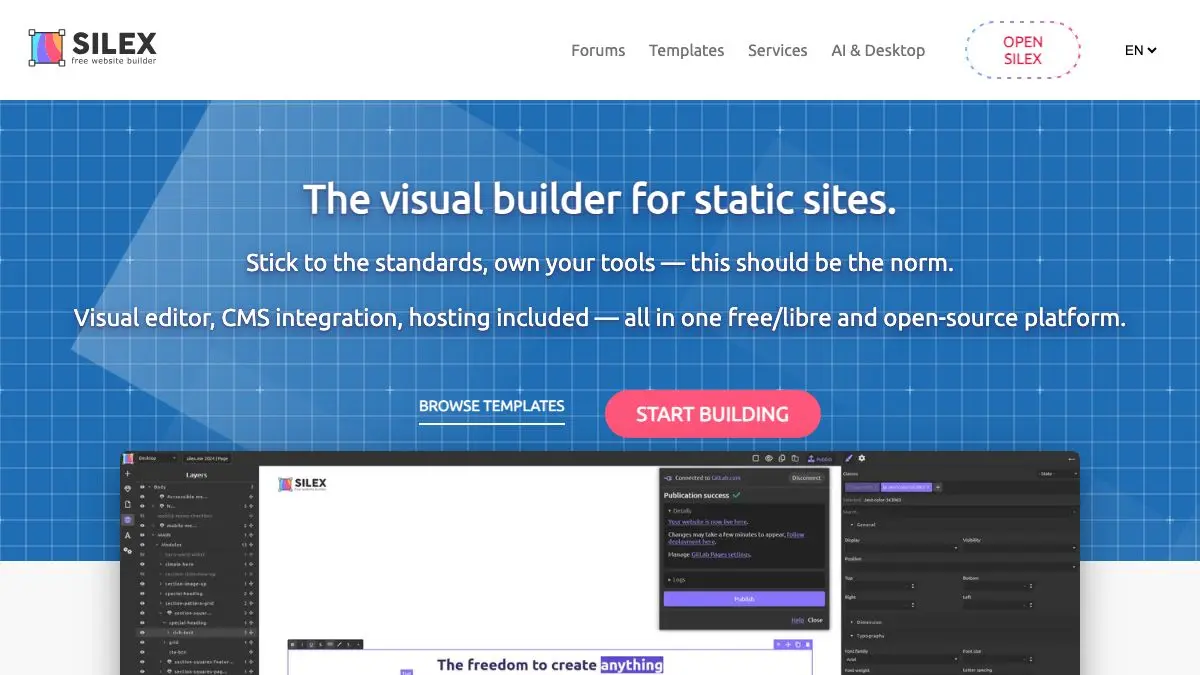
Silex is a website builder with an unusual promise attached. You build the site by dragging things around, the way you would in any modern page builder, and then you export it, and what comes out is ordinary HTML, CSS and JavaScript. Files. That you own. That will still work in ten years whether or not Silex still exists.
For anyone who has watched a client site get held hostage by a hosting platform’s export policy, this is not a small feature.
What is Silex?
The visual website builder market is enormous and almost entirely built on the same bargain: the tool is easy, the results look good, and your site lives inside their system forever. Cancel the subscription and the site goes away. Try to migrate and you discover the export is a tangle of platform-specific markup, or that there is no export at all.
Silex declines the bargain. It is a free software project, open source, and it treats the exported static site as the actual product rather than a grudging concession. You get a folder of files. Drop them on any host, a shared host, a static hosting service, an object store, a Raspberry Pi in a cupboard, and the site works.
The editor itself is a browser-based visual canvas. You drag in elements, position them, set styles, add pages, link them together, and drop in your own code where you need it. It leans on the free-positioning model, so it feels more like a design tool than a document editor. There is a CSS editor for people who want to work at that level, and support for inserting raw HTML for embeds and third-party widgets.
Under the hood it builds on the GrapesJS editing framework, which is a well-regarded open-source project in its own right. That means Silex benefits from a maintained editing engine rather than a bespoke one, and it is extensible: the project supports plugins and connectors for storage and publishing destinations.
The other thing worth knowing is that Silex has been around a long time. It started as a project aimed at designers and small organizations who needed a real website without a monthly fee or a developer on call, and it has kept that focus. Nonprofits, freelancers, small associations, personal portfolios: that is the natural constituency, and it serves it well.
It is not the tool for a complex web application, and it is not trying to be. It builds static sites, visually, and gives you the files.
What can you do with Silex?
- Build a site by dragging. A visual canvas with free positioning, so you lay pages out the way you want rather than fighting a template’s structure.
- Export clean static files. HTML, CSS and JavaScript in a folder, ready to upload anywhere. No proprietary format, no runtime dependency.
- Host it wherever you like. Static output works on essentially every hosting arrangement in existence, including the free ones.
- Edit the CSS directly. For anything the visual controls do not cover, drop into the style editor and write it yourself.
- Insert custom HTML. Embeds, forms, analytics snippets, third-party widgets: paste the code in where you need it.
- Run your own instance. The project is open source, so you can self-host the editor for your team or your clients.
- Extend it with plugins. Connectors and extensions cover storage backends and publishing targets beyond the defaults.
Tips to get the most out of it
Plan the page structure before you start dragging. Free-positioning editors are liberating and slightly dangerous. Sketch your sections first, or you will end up with a beautiful page that collapses at a different screen width.
Check every breakpoint as you go. Responsive behavior is where visual builders most often disappoint. Test narrow widths continuously rather than at the end, when fixing it means rebuilding the layout.
Export early, before you have built the whole thing. Look at the files that come out while the site is still small. You will understand the output structure, and you will know exactly what you are getting before you have twelve pages invested.
Keep the source project safe. The exported HTML is what you publish; the project file is what you edit next time. Losing the latter means future changes happen by hand in the markup.
Use it for the sites it suits. Brochure sites, portfolios, event pages, small organization sites, landing pages. If your requirements start including user accounts and a database, you want a different category of tool.
Consider self-hosting if you build for clients. Running your own instance means your workflow does not depend on anyone else’s service staying online, which is the same argument that made you interested in the static export in the first place.
If you like Silex, also try…
- Puter: another open-source project that puts serious software in a browser tab with a self-host option.
- Polotno Studio: a free visual design editor in the browser, for the graphics that go on the site.
- Photopea: full-featured image editing without installing anything.
- Coolors: generate a palette in seconds so your site does not end up all default blue.
More build-it-yourself tooling in Tools & Utilities, and more of the visual side in Design & Creativity.
Frequently asked questions
What is Silex?
Silex is a free and open-source website builder with a visual, drag-and-drop editor. Unlike hosted platforms, it exports plain static HTML, CSS and JavaScript that you can host anywhere, so there is no dependency on the tool once your site is built.
Is Silex free?
Yes. Silex is open source and free to use, and you can run it yourself. The project also offers hosted and supported options, but the core editor and the exported output cost nothing.
Does Silex lock me into their platform?
No, and that is its main selling point. The output is standard static files rather than a proprietary format tied to a hosting account. You can put the exported site on any web host, a static host, an object store, or your own server.
Do I need to know how to code to use Silex?
No. The editor is visual: you drag elements onto a page, position them and style them without writing markup. Knowing some HTML and CSS helps if you want fine control or want to edit the exported files afterwards, but it is not required to build a site.