// 2026-08-05 · Learning & Education · by Bob Smith
Making Software: Illustrated Explanations of How Computers Actually Work
Making Software explains the guts of software and hardware, anti-aliasing, color, GPUs, displays, using illustrations and animations instead of walls of text.
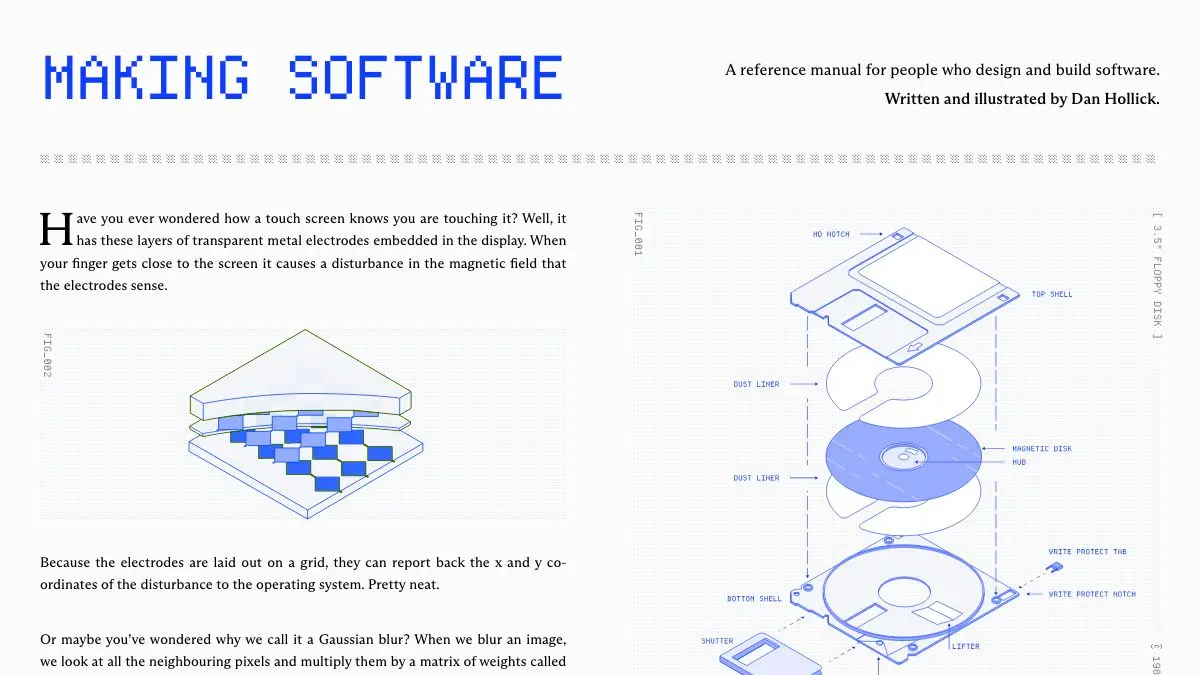
Making Software is a book about the machinery under the interface, and it explains that machinery mostly with pictures. Not decorative pictures. Diagrams that actually carry the argument, so that halfway through a chapter on anti-aliasing you realize you have understood something you had previously just accepted as a mysterious fact about screens.
What is Making Software?
Designer Dan Hollick spent years posting explanations of obscure technical topics, the kind of thread where you learn how a display subpixel is laid out and come away genuinely delighted. Making Software is that instinct turned into a proper book, with a website where a set of chapters are readable for free.
The subject is the layer everyone skips. Most people who build software know how to use a tool that draws a rounded rectangle. Far fewer know what the rasterizer is doing to decide which pixels get partially covered, what the GPU is doing with that instruction, or what the physical panel does to turn the result into light. That gap is not a moral failing, it is just a place nobody was writing for.
The method is relentlessly visual. Concepts arrive as annotated diagrams and short animations, with text that supports the image instead of the other way around. This is harder to make than prose and much easier to understand, which is the trade that most technical writing declines to take.
Topics range across graphics and rendering, color and color spaces, typography and text rendering, hardware and displays, and the general question of how a description of an image becomes an actual image. Individual chapters stand alone: you can drop in on the one about blend modes or the one about how a screen produces color without reading anything before it.
The tone is the other half of the appeal. It is patient without being condescending, and it consistently answers the question you were about to ask next. That is rarer in technical writing than it should be.
What can you do with Making Software?
- Read the free chapters. A selection of the book is available on the site in a browser, no signup, no paywall gymnastics.
- Finally understand anti-aliasing. The classic example, and a good demonstration of why the illustrated approach beats a paragraph of definitions.
- Learn what color actually is to a computer. Color spaces, gamma, and why “the same” color looks wrong on a different screen.
- See what a GPU is doing. The pipeline from an instruction to a lit pixel, drawn out rather than described abstractly.
- Look up a single concept. Chapters are self-contained, so it works as a reference when you hit an unfamiliar term at work.
- Buy the full book. The complete version is a paid product for people who want the whole thing rather than the free selection.
- Share a chapter to end an argument. Linking one diagram is significantly faster than explaining subpixel rendering out loud.
Tips to get the most out of it
Read it on a decent screen. A book substantially about how displays render things deserves better than a cracked phone in bright sunlight. The diagrams reward space.
Slow down at the animations. They are not filler. Most of them encode the exact moment where the concept clicks, and skimming past one means reading three paragraphs to recover what four seconds of motion would have told you.
Start with a topic that has annoyed you. Everyone has one: fonts looking wrong, exported colors shifting, an image getting soft when scaled. Start there and the rest of the book becomes interesting by association.
Use it to fix your vocabulary. A lot of design and engineering disagreements are really two people using “resolution” or “color profile” to mean different things. The chapters give you precise words.
Do not save it for a big free afternoon. The chapters are short enough to read one at a time, and the material sticks better spaced out than binged.
If you like Making Software, also try…
- Bartosz Ciechanowski: the gold standard of interactive explanation, on lenses, gears, GPS and more.
- Acko.net: Steven Wittens on graphics and math, with the same conviction that a good visual beats a page of algebra.
- BetterExplained: math concepts rebuilt around intuition instead of formal definitions.
- How a Car Works: the same illustrated-teardown approach, applied to internal combustion.
More things that make hard subjects click in Learning & Education, and more visual craft in Design & Creativity.
Frequently asked questions
What is Making Software?
Making Software is a book and website by designer Dan Hollick that explains the underlying mechanics of software and computer hardware using illustrations and animations. It covers topics like how anti-aliasing works, how color is represented, how GPUs render things, and how displays actually produce an image. The visual approach is the whole point: the diagrams do the explaining rather than decorating the text.
Is Making Software free?
A selection of chapters is readable for free on the website, and the complete book is sold as a paid product. You can read the free chapters in a browser with no account, which is enough to tell whether the style works for you.
Who is Making Software for?
It is aimed at designers, developers, and anyone curious about what is happening underneath the tools they use every day. It assumes no advanced math or computer science background, but it does not water the material down either. If you have ever wondered why a shape looks soft at the edges or why two screens show the same color differently, it is written for you.
Do I need to be a programmer to understand it?
No. The explanations are built around visuals and physical intuition rather than code, so you can follow a chapter on subpixel rendering or color spaces without writing a line of anything. Programmers get more out of some chapters, but nothing requires it.