// 2026-08-20 · Design & Creativity · by Bob Smith
fffuel: Sixty-Odd Free SVG Generators for Gradients, Patterns and Textures
fffuel is a collection of more than sixty free browser-based generators that produce SVG gradients, blobs, patterns, textures and backgrounds — no account, no watermark, free for commercial use.
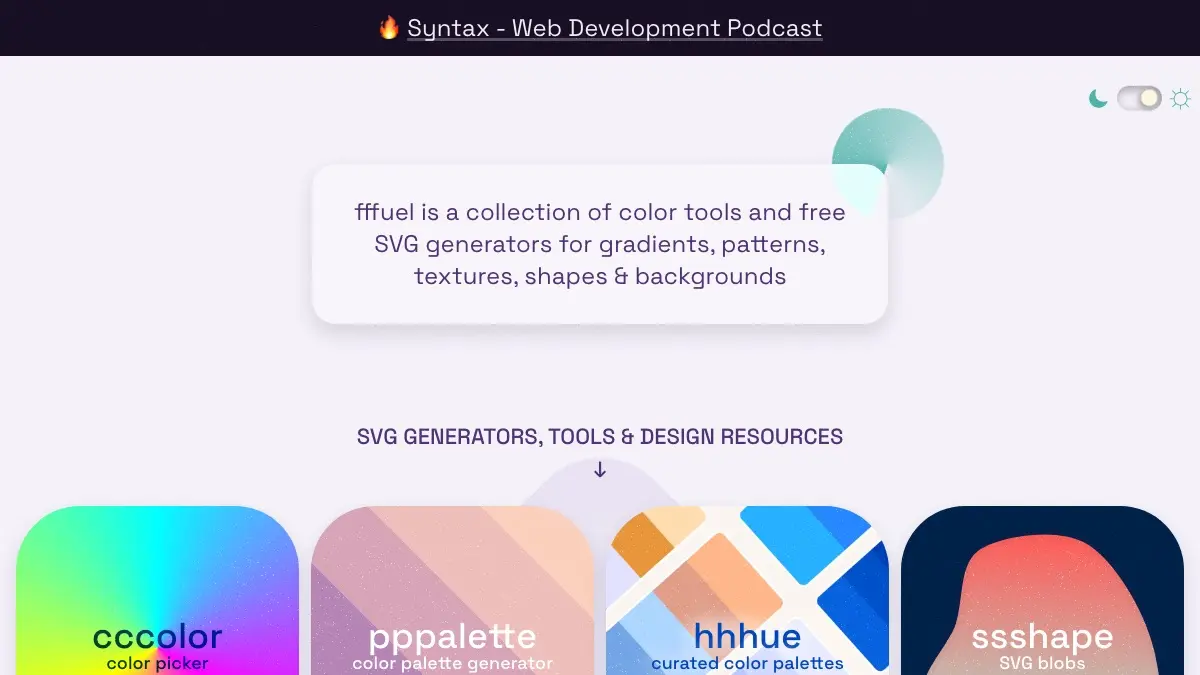
fffuel is what happens when one designer keeps solving the same small problem over and over and refuses to stop. The site is a wall of thumbnails, each one leading to a single-purpose generator: fluid gradients, grain, blobs, spirals, grids, wave dividers, confetti bursts, scribbles, holographic sheens. More than sixty of them. All free, all in the browser, all producing SVG you can copy straight into a component.
The naming is the first thing you notice. Every tool triples its opening letter — ffflux, nnnoise, gggrain, ssshape, ooorganize, vvvortex. It is a joke that has gone on long enough to become a system.
What is fffuel?
The homepage states it plainly: a collection of color tools and free SVG generators for gradients, patterns, textures, shapes and backgrounds. It is made by Seb — Sébastien Noël — a web designer who also built the color tool couleur.io, cccreate, and muted.io, a set of interactive references for scales and chords. The site’s footer now carries a Syntax.fm and Sentry copyright and its social links point at Syntax accounts, so the project appears to have found an institutional home, but the tools themselves are unchanged and still free.
What separates fffuel from the general run of “background generator” sites is that the output is genuinely SVG, and the SVG is genuinely good. These are not pre-rendered images with a color swap. ffflux builds its fluid gradients out of feTurbulence, feGaussianBlur and feBlend filter primitives; nnnoise uses feTurbulence and feSpecularLighting to make a noise field with a light source you can move around. The file that lands in your downloads folder is a few kilobytes of markup you can open, read and edit by hand.
That also means the parameters are real parameters. gggrain gives you three colors, a blend mode, linear or radial, angle or radius, granularity, grain opacity and frequency. nnnoise gives you background color, light color, desaturation, turbulence, opacity, frequency, surface scale, light elevation and specularity. You are turning knobs on an actual filter graph, not picking from twelve presets.
The generators are also unusually honest about their own costs. ffflux warns that the resulting files, though small, “will often require a whole lot of graphic processing power to render, especially at large sizes and when the window is resized,” and points you at the rasterizer if that becomes a problem. gggrain says the same thing in different words. It is rare for a free tool to tell you when not to use its output.
What can you do with fffuel?
- Generate fluid mesh gradients with ffflux. Two colors, a blend mode from a long list, blur and frequency on both axes, and a randomize button for when you have no opinion yet.
- Add film grain to anything with gggrain. Three-color gradients with adjustable grain density and opacity — the texture that has quietly become the default look for landing pages.
- Make tileable noise with nnnoise. It hands you the CSS as well as the SVG, and the texture tiles automatically under the default
background-repeat. - Build grid backgrounds with ooorganize. Twenty-two styles, all designed to tile seamlessly, with a documented gotcha: diagonal styles double the row and column counts and want matching values to line up.
- Cut blob shapes with ssshape and wave dividers with sssurf, the two workhorses of section transitions.
- Raid the long tail. ssspill for melting shapes, ttten for 10 PRINT-style mazes, hhhorizon for cyberpunk grids, ggglitch, pppixelate, bbburst, dddoodle for hand-drawn vectors, lllook for facial-expression line icons.
- Work with color. cccolor is a HEX/RGB/HSL picker, pppalette generates palettes, hhhue is a curated set of them.
- Convert and encode. rrrasterize turns SVG into PNG in the browser with scale, width, height and background controls; eeencode Base64-encodes SVG for inlining in CSS.
- Check your references. sssvg is an SVG reference, rrready? is a web feature support chart, and there is a visual guide to CSS selectors.
Where it falls short
The performance warning is not boilerplate. Filter-heavy SVGs are cheap to download and expensive to paint, and a full-bleed ffflux background on a page that gets resized will make a laptop fan audible. Rasterizing to WebP or AVIF is the fix, and it is the right default for hero images.
The license restriction is narrow but real. Commercial use is fine and attribution is not required, but you cannot redistribute the images — so fffuel output belongs in your project, not in a template you sell.
There is no account, which is mostly a virtue and occasionally not: nothing is saved. Land on a combination you like and you should download it immediately, because the settings are gone when you close the tab.
And the aesthetic is of a moment. Grain over a mesh gradient reads as 2024 the way a drop shadow reads as 2009. The tools are excellent; the risk is that a page built entirely from them looks exactly like every other page built entirely from them. Use them as ingredients rather than as the recipe.
If you like fffuel, also try…
- Coolors: the fast palette generator, for when cccolor and pppalette have not settled the argument.
- Color Hunt: curated four-color palettes, browsable by mood.
- Squoosh: compress the PNG that rrrasterize just gave you, in the browser, with a live quality comparison.
- Khushmeen Doodle Icons: hand-drawn icons that sit naturally next to dddoodle’s vectors.
More free creative resources in Design & Creativity, and more no-signup utilities in Tools & Utilities.
Frequently asked questions
What is fffuel?
fffuel describes itself as a collection of color tools and free SVG generators for gradients, patterns, textures, shapes and backgrounds. It is made by a designer who goes by Seb — Sébastien Noël — who also built couleur.io, cccreate and the music theory site muted.io. Each generator lives on its own page with its own set of sliders and color pickers, and there are more than sixty of them, all named with a tripled first letter: ffflux, nnnoise, gggrain, ooorganize.
Can I use fffuel graphics in commercial work?
Yes. The license page states that you are free to use the images for both personal and commercial projects, and that no attribution is required although a mention is appreciated. There is one real restriction: you cannot sublicense, resell, share, transfer or otherwise redistribute the images. In practice that means using a generated background in a client site or a product you sell is fine, but bundling a folder of fffuel output into a template or asset pack you distribute is not.
Do I need an account, and does anything get uploaded?
No account, no email wall and no download credits. The generators run in the browser and you either download the SVG file or copy the markup straight to your clipboard. The SVG-to-PNG converter, rrrasterize, is explicit that the conversion happens directly in your browser and that files are not uploaded or stored on a server.
What formats do the tools export?
Most generators offer save and copy SVG, so you get either a file or the raw markup to paste into a component. For raster output you pass the SVG through rrrasterize, which converts to PNG client-side with controls for scale, width, height and background color. A separate tool, eeencode, encodes SVG to Base64 so you can inline it in a CSS background-image rule, and nnnoise shows the CSS snippet needed to tile its texture.